%20--%3e%3csvg%20version='1.1'%20id='Logo'%20xmlns='http://www.w3.org/2000/svg'%20xmlns:xlink='http://www.w3.org/1999/xlink'%20x='0px'%20y='0px'%20viewBox='0%200%20227.7%2039.7'%20style='enable-background:new%200%200%20227.7%2039.7;'%20xml:space='preserve'%3e%3cstyle%20type='text/css'%3e%20.st0{fill:%231D1D1B;}%20%3c/style%3e%3cg%3e%3cpath%20class='st0'%20d='M218.6,38.9c-6.5,0-11.4-4.9-11.4-11.3s4.9-11.3,11.4-11.3c3.4,0,6.4,1.3,8.4,3.6l0.1,0.2l-3.3,3.2l-0.2-0.2%20c-1.2-1.4-3.1-2.3-5.1-2.3c-3.9,0-6.6,2.8-6.6,6.8s2.8,6.8,6.6,6.8c2,0,3.9-0.8,5.1-2.3l0.2-0.2l3.3,3.2l-0.1,0.2%20C224.9,37.7,222,38.9,218.6,38.9z'/%3e%3cpath%20class='st0'%20d='M87.5,38.9c-6.4,0-11.3-4.8-11.3-11.1s4.8-11.4,11.3-11.4S98.4,21,98.4,27.6v2H81c0.7,3,3.2,5,6.5,5%20c2.5,0,4.3-1.1,5.2-2.1l0.2-0.2l3.2,3.1l-0.2,0.2C94,37.7,91,39,87.5,38.9L87.5,38.9z%20M93.5,25.4c-0.3-2.7-2.9-4.7-6.1-4.7%20s-5.5,1.8-6.3,4.7H93.5z'/%3e%3cpath%20class='st0'%20d='M112.9,38.9c-2.4,0-4.7-0.7-6.6-2.2v1.6h-4.7V8h4.7v10.5c1.9-1.4,4.2-2.1,6.6-2.1c6.5,0,11.4,4.8,11.4,11.3%20S119.5,38.9,112.9,38.9L112.9,38.9z%20M112.9,20.9c-3.8,0-6.6,2.9-6.6,6.8s2.8,6.8,6.6,6.8s6.6-2.9,6.6-6.8S116.7,20.9,112.9,20.9z'%20/%3e%3cpath%20class='st0'%20d='M151.9,38.4V24.6c0-2.1-1.6-3.7-3.7-3.7s-3.8,1.6-3.8,3.7v13.9h-4.7V24.6c0-2.1-1.6-3.7-3.7-3.7%20s-3.8,1.6-3.8,3.7v13.9h-4.6V16.9h4.2v1.6c0,0,1.6-2.2,4.7-2.2c2.3,0,4.4,1,5.9,2.7c0.9-1.1,2.8-2.7,6.1-2.7c4.4,0,8,3.5,8,7.9%20v14.2H151.9L151.9,38.4z'/%3e%3cpath%20class='st0'%20d='M170.9,38.9c-6.4,0-11.3-4.8-11.3-11.1s4.9-11.4,11.3-11.4s10.9,4.6,10.9,11.2v2h-17.3c0.7,3,3.2,5,6.5,5%20c2.5,0,4.3-1.1,5.2-2.1l0.2-0.2l3.2,3.1l-0.1,0.2C177.4,37.7,174.4,39,170.9,38.9L170.9,38.9z%20M176.9,25.4%20c-0.3-2.7-2.9-4.7-6.1-4.7s-5.5,1.8-6.3,4.7H176.9L176.9,25.4z'/%3e%3crect%20x='199.4'%20y='17.2'%20class='st0'%20width='4.7'%20height='21.3'/%3e%3cpolygon%20class='st0'%20points='195.9,17.2%20191.9,17.2%20191.9,12.1%20187.1,12.1%20187.1,17.2%20183.1,17.2%20183.1,21.1%20187.1,21.1%20187.1,38.4%20191.9,38.4%20191.9,21.1%20195.9,21.1%20'/%3e%3cpolygon%20class='st0'%20points='70.7,16.9%2065.5,31%2060.8,19.3%2057.5,19.3%2052.7,31%2047.6,16.9%2042.5,16.9%2050.7,38%2054.8,38%2059.1,26.3%2063.4,38%2067.5,38%2075.8,16.9%20'/%3e%3c/g%3e%3cg%3e%3ccircle%20class='st0'%20cx='3.5'%20cy='34.8'%20r='3.2'/%3e%3ccircle%20class='st0'%20cx='3.5'%20cy='24.4'%20r='3.2'/%3e%3ccircle%20class='st0'%20cx='13.9'%20cy='24.4'%20r='3.2'/%3e%3ccircle%20class='st0'%20cx='24.3'%20cy='24.4'%20r='3.2'/%3e%3ccircle%20class='st0'%20cx='13.9'%20cy='14'%20r='3.2'/%3e%3ccircle%20class='st0'%20cx='24.3'%20cy='14'%20r='3.2'/%3e%3ccircle%20class='st0'%20cx='34.6'%20cy='14'%20r='3.2'/%3e%3ccircle%20class='st0'%20cx='34.6'%20cy='3.6'%20r='3.2'/%3e%3c/g%3e%3c/svg%3e)
Open a site, see the potential, sign up the customer.
The Chrome extension for Webmetic partners. For any page you open it puts a number on how many companies would be identifiable, names the tools already running, and signs the prospect up as your customer if you want it to.
- Active partners only
- Free
- Detection runs locally in your browser
You sign in with your partner account on app.webmetic.de. The extension picks up that session on its own.
Valuation
What the site is worth, before you ask.
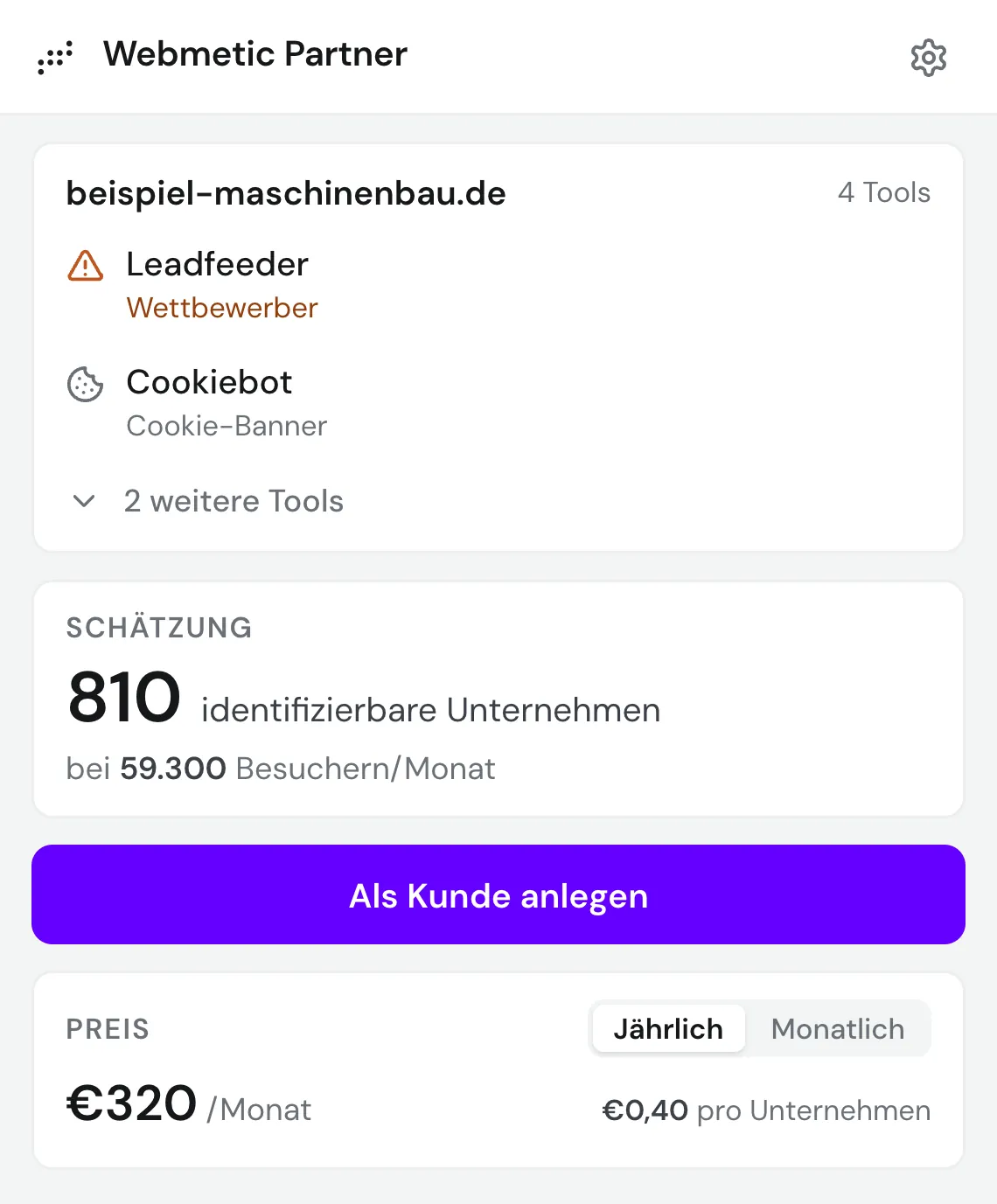
For the open domain the extension estimates monthly visitors and, from that, how many companies Webmetic would identify there. The price sits right next to it. You walk into the conversation with a number instead of a hunch.
Estimated monthly visitors
Identifiable companies per month
Price per company
Monthly rate, billed yearly or monthly
The number on the toolbar icon, without opening the window
One click to sign them up as a customer
Tech detection
98 tools, read straight from the open page.
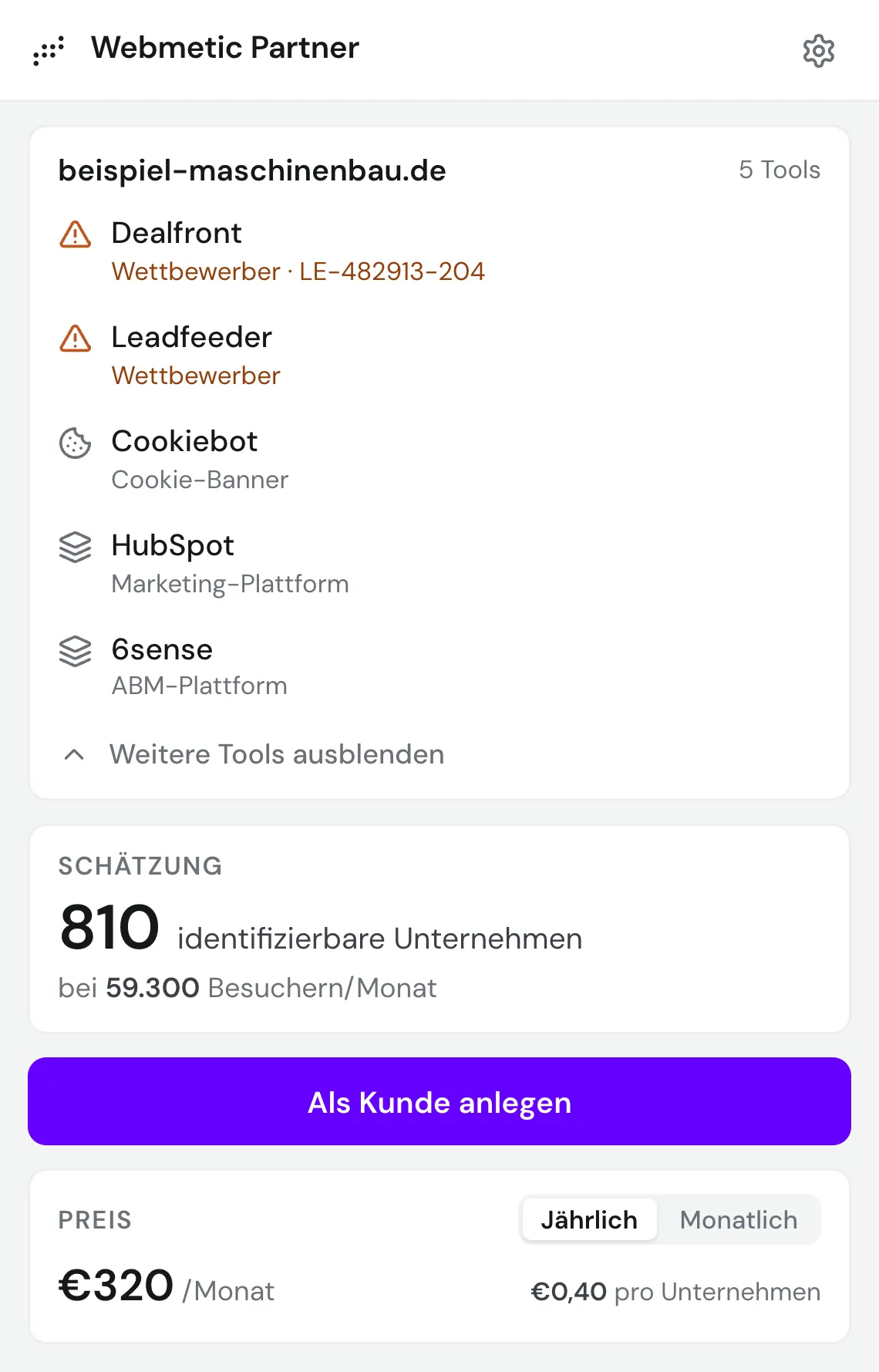
No crawler, no queue, no second request. The extension reads the page already in front of you and names what runs there in the same second. For several competitors it also picks up their account number.
27 competitors, among them Leadfeeder, Dealfront, Leadinfo
44 cookie banners, among them Usercentrics, Cookiebot, OneTrust
19 marketing platforms, among them HubSpot, Marketo, Brevo
7 ABM platforms, among them 6sense, Demandbase, ZoomInfo
Webmetic itself, with account ID and session recording
Detection is local, no page content leaves your machine
From prospect to customer
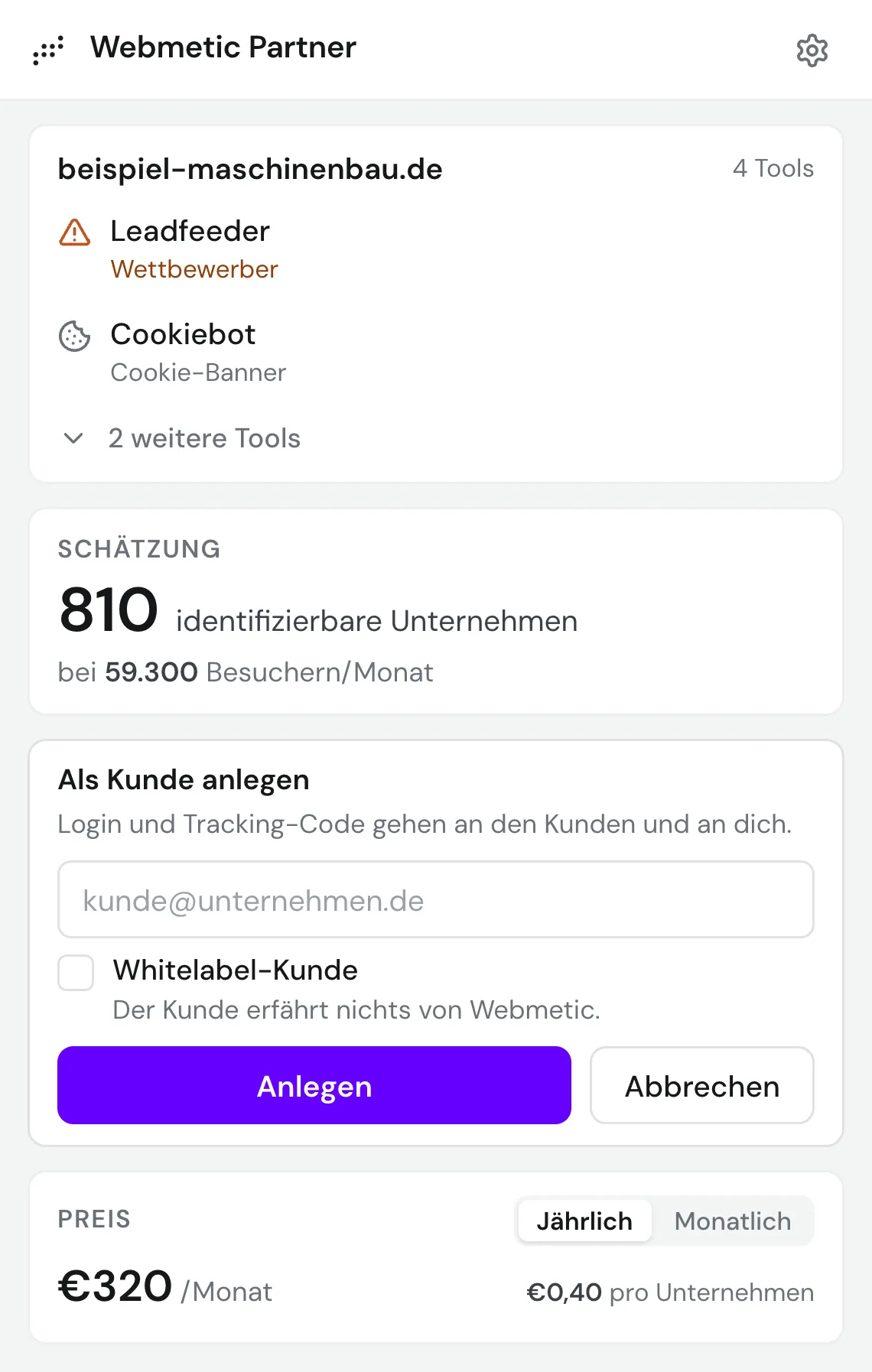
One email address is enough.
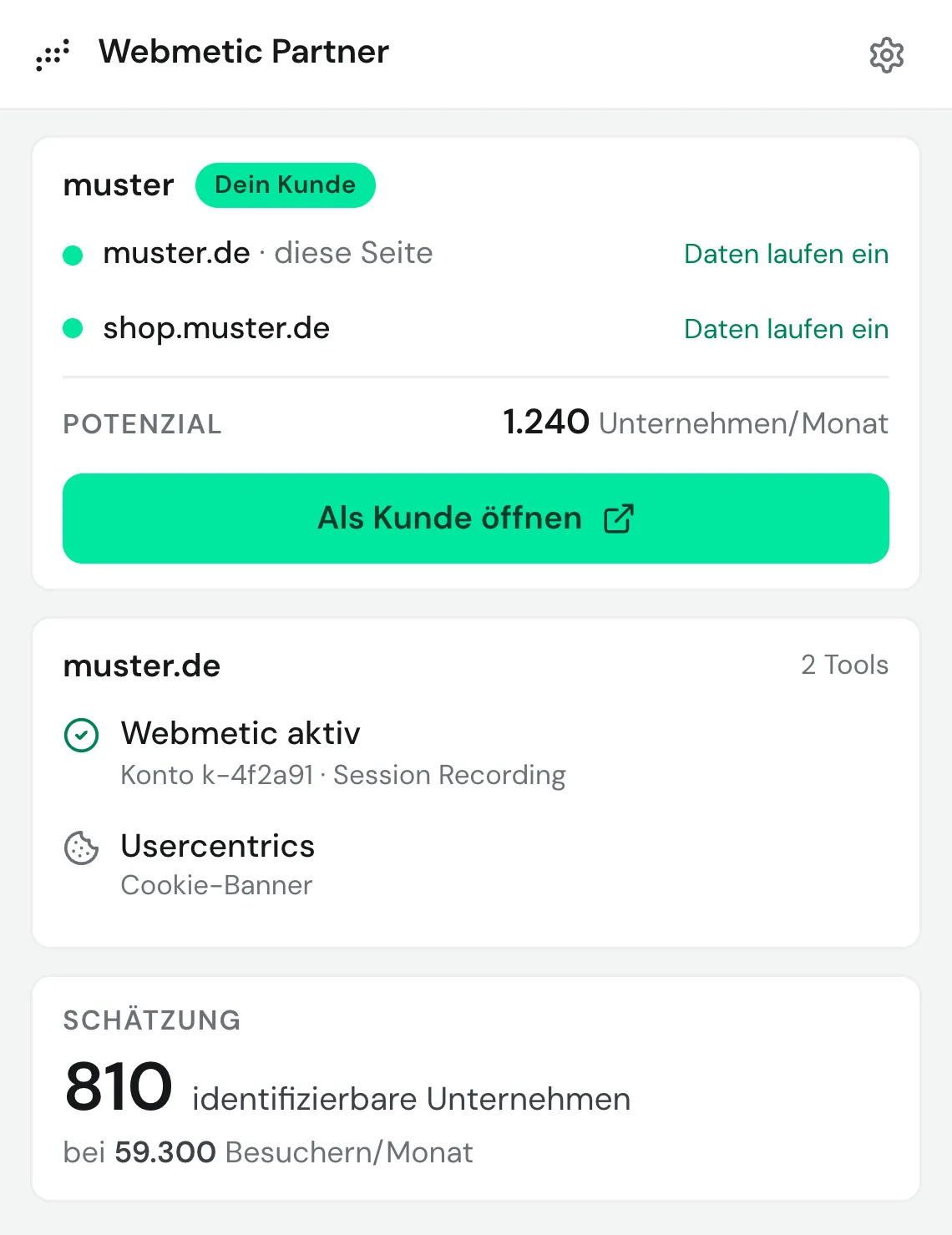
If the site already belongs to one of your customers, the extension shows the account, every website in it, and whether data is coming in. One click opens that customer's dashboard. If it isn't a customer yet, you sign them up in the same window. The account is tied to your partner account right away.
Existing customers are recognised immediately
Every website on the account, with tracking status
Open the customer's dashboard in one click
Sign up with a single email address
The account attaches to your partner account
White label: login and tracking code go to you alone
Set up in four steps
From install to your first valuation takes a couple of minutes.
- 01
Install the extension
Add it from the Chrome Web Store. It is free and unlocked for active Webmetic partners only.
- 02
Sign in with your partner account
Sign in on app.webmetic.de as usual. The extension picks up that session, there is no second password.
- 03
Open a prospect's website
Any page will do. The number of identifiable companies is already on the toolbar icon.
- 04
Click the icon
The valuation, the detected tools and the sign-up button all sit in the same window.
Common questions
What partners want to know before installing.
Free, as soon as you're a partner.
Install the extension and sign in with your partner account. Not a partner yet? Start with the application.