

With an API key
Connect scripts, CI pipelines and clients without a browser sign-in using the API key.
The API key replaces the sign-in, for example in these cases:
- No sign-in in a browser: You connect scripts, CI pipelines, or clients that don't start a sign-in.
- Single sign-on: You sign in to Webmetic with single sign-on and have no password.
The AI Assistant (MCP) window shows the key, and only admins see the menu item for it. If you aren't an admin, ask an admin for the API key.
What you need beforehand is listed under Before you start.
-
Open Menu > Integrations > MCP. The window shows the fields Server URL and Your API key.
-
Click the copy icon in the Your API key field. Webmetic copies the full key, even while it's hidden.
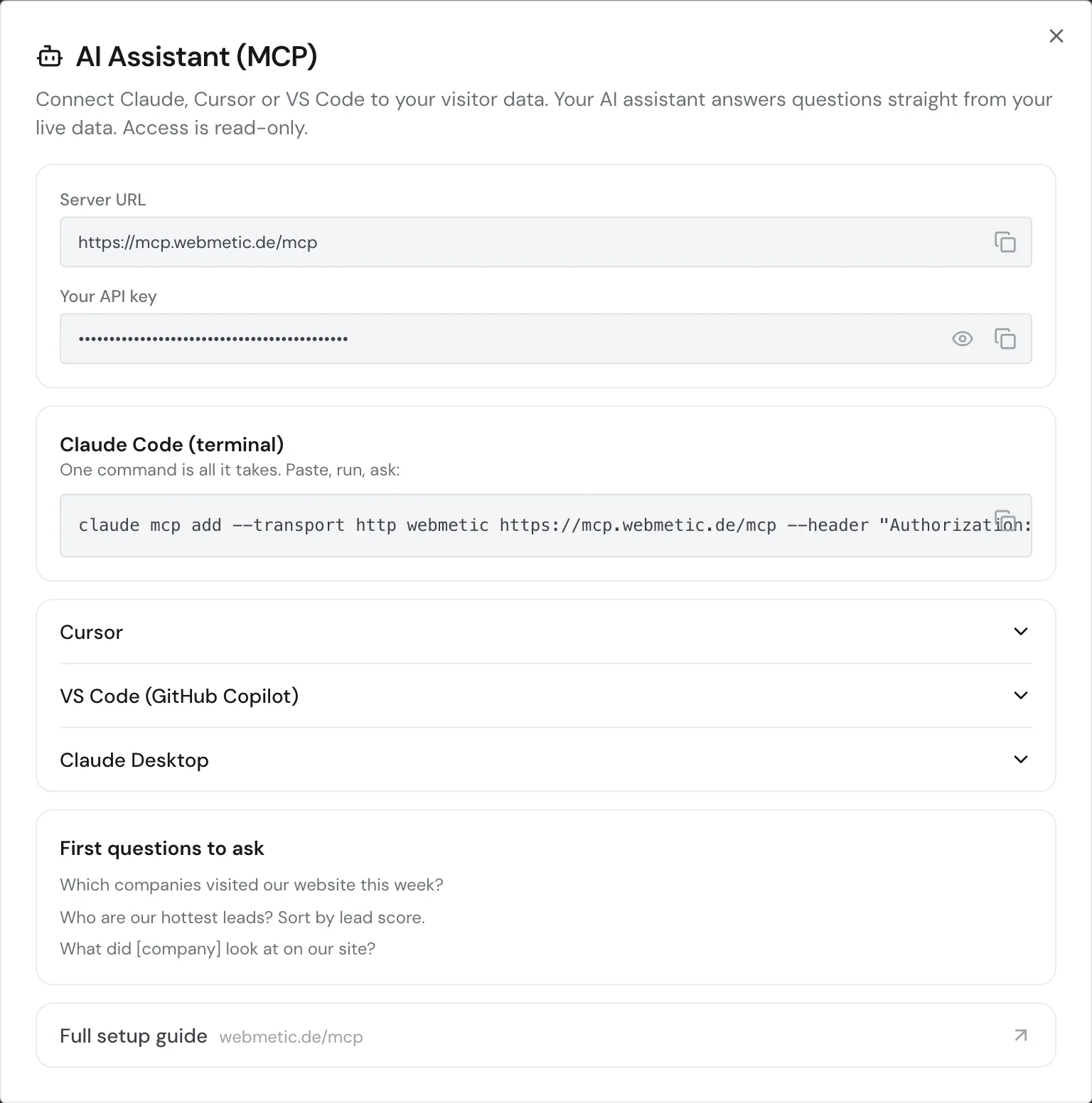
The AI Assistant (MCP) window with the server URL and the hidden API key -
Enter the key in your client in the
Authorizationheader, without "Bearer" in front of it. In Claude Code, it looks like this:claude mcp add --transport http --scope user webmetic https://mcp.webmetic.de/mcp --header "Authorization: wmtc_YOUR_API_KEY"In Cursor, add
headers:{ "mcpServers": { "webmetic": { "url": "https://mcp.webmetic.de/mcp", "headers": { "Authorization": "wmtc_YOUR_API_KEY" } } } }
Don't put your API key in public code. Anyone with the key can fetch your account's data.
The connection ends when you remove the key from the client, or when an admin creates a new one under Menu > Integrations > API. The old key then stops working in other applications too.