

Langdock
Connect Langdock to your account through a plugin with an MCP server.
Set up Webmetic in Langdock as a plugin. The steps show Langdock with its German interface, so the labels are German with their meaning in brackets.
What you need beforehand is listed under Before you start.
-
In Langdock, open Plugins and click Erstellen (create).

The Plugins page in Langdock with the Erstellen button -
Under Typ (type), select MCP Server verbinden (connect MCP server).
-
Under Server URL, enter this address:
https://mcp.webmetic.de/mcp -
Under Authentifizierungsmethode (authentication method), select OAuth 2.0 (dynamische Client-Registrierung) (dynamic client registration) and click Erstellen und verbinden (create and connect).
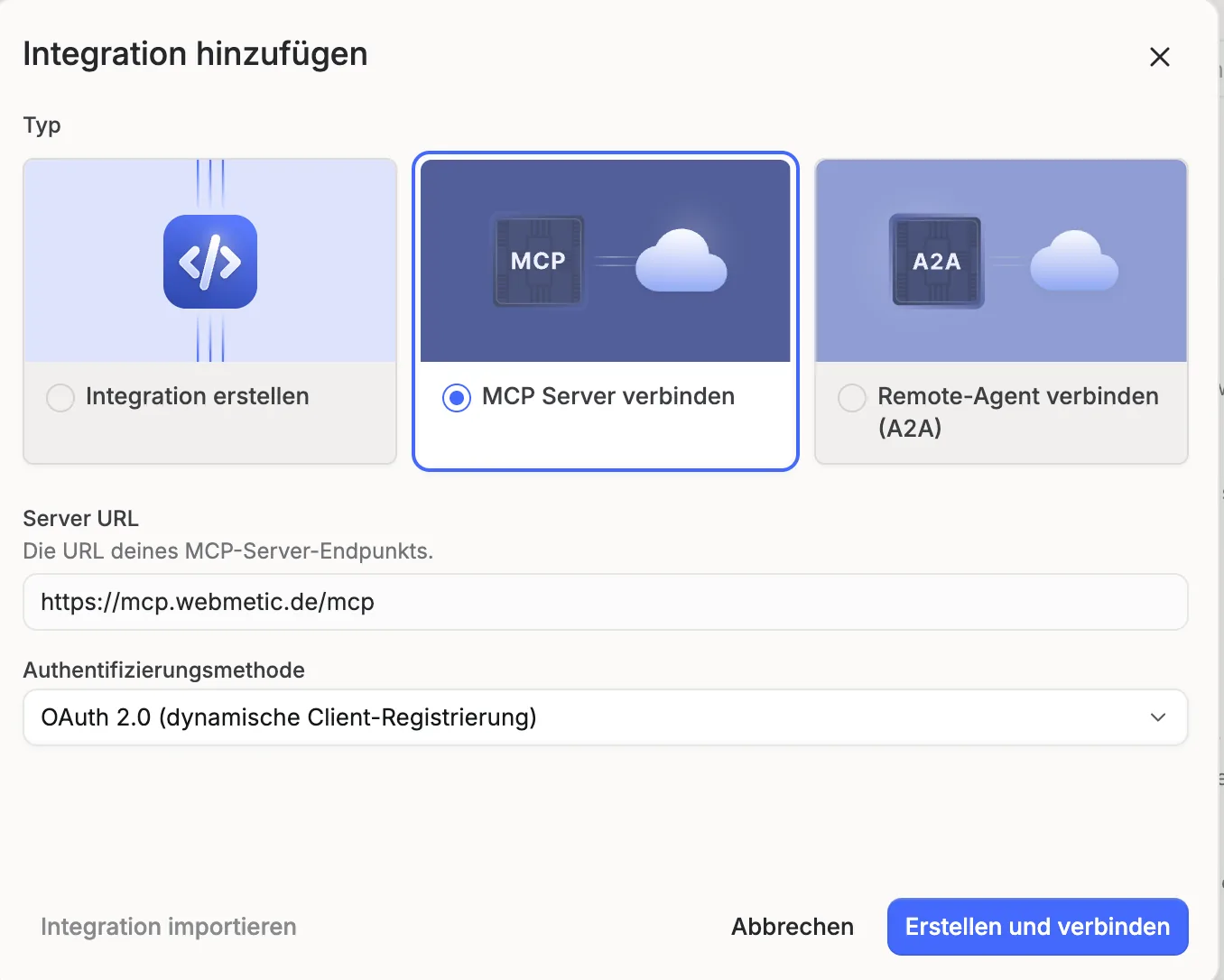
The Integration hinzufügen window with MCP Server verbinden, the server address and OAuth 2.0 as the authentication method -
When the Webmetic verbinden page opens, enter your E-Mail-Adresse (email address) and Passwort (password) and click Anmelden und verbinden (sign in and connect). Langdock then opens the MCP Client konfigurieren (configure MCP client) page.
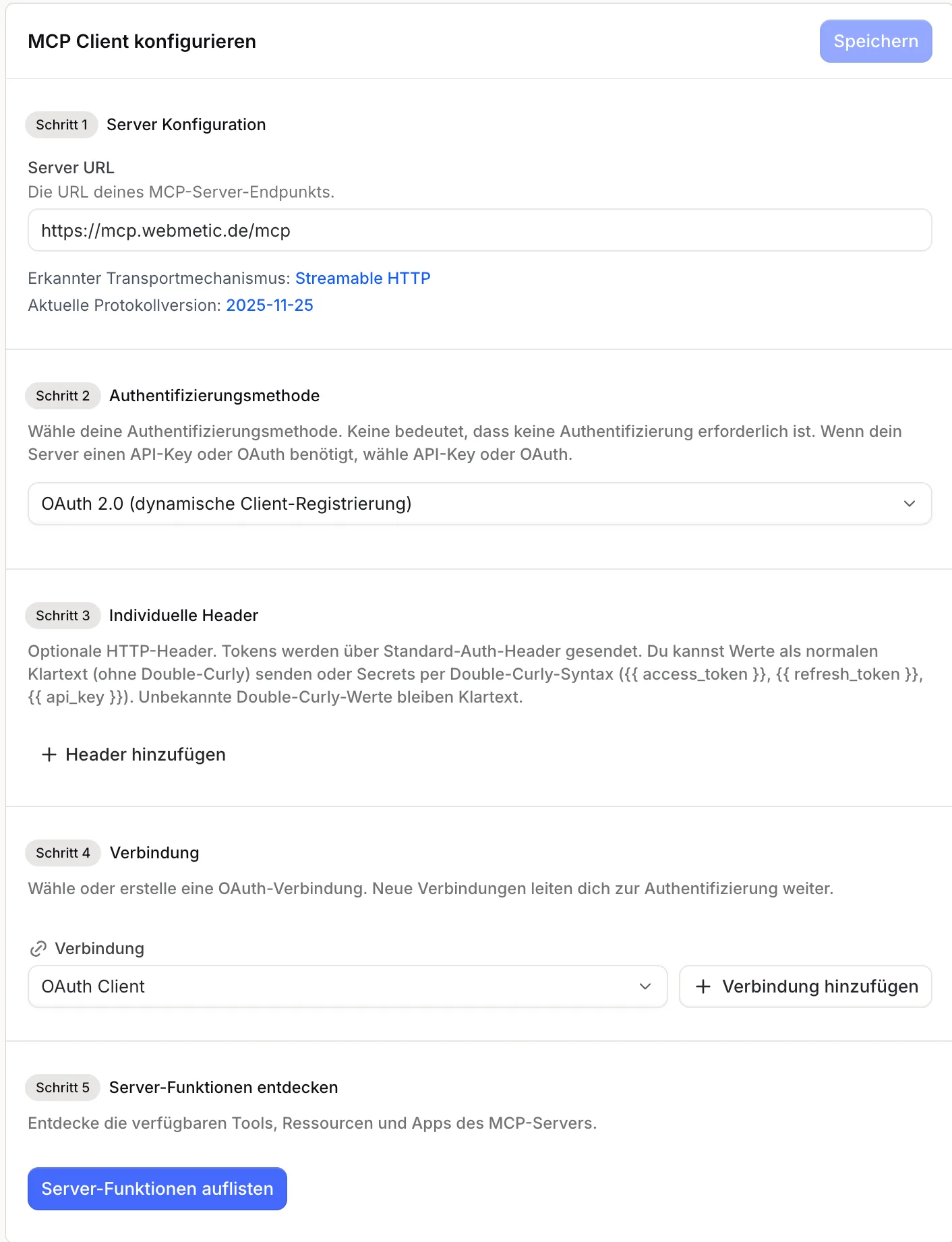
The MCP Client konfigurieren page with the server address, the OAuth connection and the Server-Funktionen auflisten button -
Under Server-Funktionen entdecken (discover server features), click Server-Funktionen auflisten (list server features). Langdock shows Webmetic's tools as actions.
-
Langdock runs actions without asking unless you change that. So turn on Bestätigung anfragen (request confirmation) for Reveal contact, because unlocking costs credits. Do the same for the four actions that set up your account: Set target profile, Enable contacts, Invite user and Create email alert.
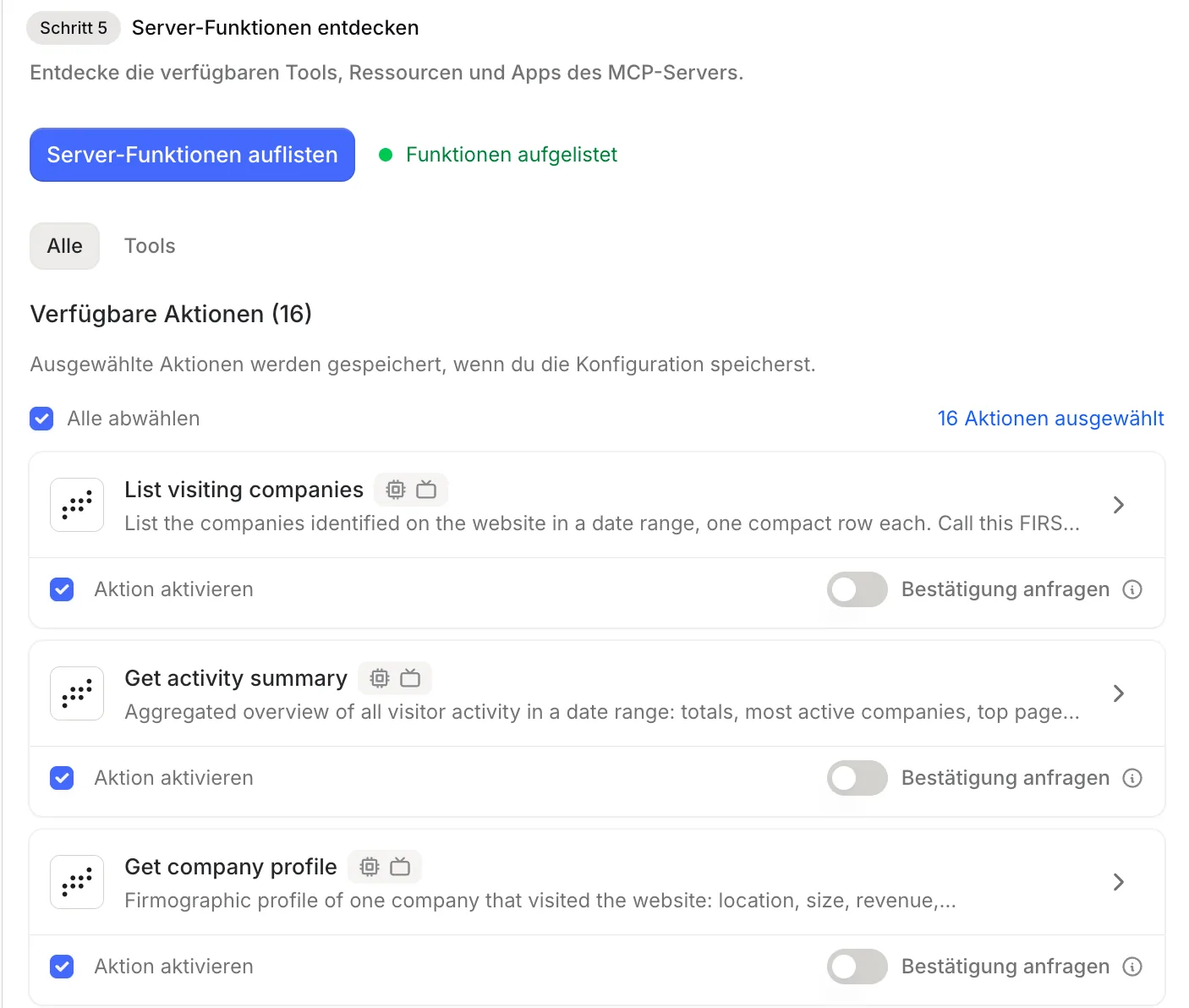
The list of actions with Aktion aktivieren and the Bestätigung anfragen switch on every action -
Click Speichern (save). Langdock is now connected to your account.
In a chat, Langdock uses Webmetic as soon as it is active under Plugins in the input field.

So that your colleagues can use Webmetic in Langdock, share the plugin in the Teilen (share) tab. Each person then signs in with their own Webmetic login.