%20--%3e%3csvg%20version='1.1'%20id='Logo'%20xmlns='http://www.w3.org/2000/svg'%20xmlns:xlink='http://www.w3.org/1999/xlink'%20x='0px'%20y='0px'%20viewBox='0%200%20227.7%2039.7'%20style='enable-background:new%200%200%20227.7%2039.7;'%20xml:space='preserve'%3e%3cstyle%20type='text/css'%3e%20.st0{fill:%231D1D1B;}%20%3c/style%3e%3cg%3e%3cpath%20class='st0'%20d='M218.6,38.9c-6.5,0-11.4-4.9-11.4-11.3s4.9-11.3,11.4-11.3c3.4,0,6.4,1.3,8.4,3.6l0.1,0.2l-3.3,3.2l-0.2-0.2%20c-1.2-1.4-3.1-2.3-5.1-2.3c-3.9,0-6.6,2.8-6.6,6.8s2.8,6.8,6.6,6.8c2,0,3.9-0.8,5.1-2.3l0.2-0.2l3.3,3.2l-0.1,0.2%20C224.9,37.7,222,38.9,218.6,38.9z'/%3e%3cpath%20class='st0'%20d='M87.5,38.9c-6.4,0-11.3-4.8-11.3-11.1s4.8-11.4,11.3-11.4S98.4,21,98.4,27.6v2H81c0.7,3,3.2,5,6.5,5%20c2.5,0,4.3-1.1,5.2-2.1l0.2-0.2l3.2,3.1l-0.2,0.2C94,37.7,91,39,87.5,38.9L87.5,38.9z%20M93.5,25.4c-0.3-2.7-2.9-4.7-6.1-4.7%20s-5.5,1.8-6.3,4.7H93.5z'/%3e%3cpath%20class='st0'%20d='M112.9,38.9c-2.4,0-4.7-0.7-6.6-2.2v1.6h-4.7V8h4.7v10.5c1.9-1.4,4.2-2.1,6.6-2.1c6.5,0,11.4,4.8,11.4,11.3%20S119.5,38.9,112.9,38.9L112.9,38.9z%20M112.9,20.9c-3.8,0-6.6,2.9-6.6,6.8s2.8,6.8,6.6,6.8s6.6-2.9,6.6-6.8S116.7,20.9,112.9,20.9z'%20/%3e%3cpath%20class='st0'%20d='M151.9,38.4V24.6c0-2.1-1.6-3.7-3.7-3.7s-3.8,1.6-3.8,3.7v13.9h-4.7V24.6c0-2.1-1.6-3.7-3.7-3.7%20s-3.8,1.6-3.8,3.7v13.9h-4.6V16.9h4.2v1.6c0,0,1.6-2.2,4.7-2.2c2.3,0,4.4,1,5.9,2.7c0.9-1.1,2.8-2.7,6.1-2.7c4.4,0,8,3.5,8,7.9%20v14.2H151.9L151.9,38.4z'/%3e%3cpath%20class='st0'%20d='M170.9,38.9c-6.4,0-11.3-4.8-11.3-11.1s4.9-11.4,11.3-11.4s10.9,4.6,10.9,11.2v2h-17.3c0.7,3,3.2,5,6.5,5%20c2.5,0,4.3-1.1,5.2-2.1l0.2-0.2l3.2,3.1l-0.1,0.2C177.4,37.7,174.4,39,170.9,38.9L170.9,38.9z%20M176.9,25.4%20c-0.3-2.7-2.9-4.7-6.1-4.7s-5.5,1.8-6.3,4.7H176.9L176.9,25.4z'/%3e%3crect%20x='199.4'%20y='17.2'%20class='st0'%20width='4.7'%20height='21.3'/%3e%3cpolygon%20class='st0'%20points='195.9,17.2%20191.9,17.2%20191.9,12.1%20187.1,12.1%20187.1,17.2%20183.1,17.2%20183.1,21.1%20187.1,21.1%20187.1,38.4%20191.9,38.4%20191.9,21.1%20195.9,21.1%20'/%3e%3cpolygon%20class='st0'%20points='70.7,16.9%2065.5,31%2060.8,19.3%2057.5,19.3%2052.7,31%2047.6,16.9%2042.5,16.9%2050.7,38%2054.8,38%2059.1,26.3%2063.4,38%2067.5,38%2075.8,16.9%20'/%3e%3c/g%3e%3cg%3e%3ccircle%20class='st0'%20cx='3.5'%20cy='34.8'%20r='3.2'/%3e%3ccircle%20class='st0'%20cx='3.5'%20cy='24.4'%20r='3.2'/%3e%3ccircle%20class='st0'%20cx='13.9'%20cy='24.4'%20r='3.2'/%3e%3ccircle%20class='st0'%20cx='24.3'%20cy='24.4'%20r='3.2'/%3e%3ccircle%20class='st0'%20cx='13.9'%20cy='14'%20r='3.2'/%3e%3ccircle%20class='st0'%20cx='24.3'%20cy='14'%20r='3.2'/%3e%3ccircle%20class='st0'%20cx='34.6'%20cy='14'%20r='3.2'/%3e%3ccircle%20class='st0'%20cx='34.6'%20cy='3.6'%20r='3.2'/%3e%3c/g%3e%3c/svg%3e)
CRM Enrichment
You have the company list.Now Webmetic fills in the gaps.
Webmetic adds industry, employee count, revenue and phone number to your company lists and sends identified companies to your CRM.
You see the first companies shortly after setup.
More than 500 marketing and sales teams work with Webmetic.




From a domain to a record in your CRM
Enrichment
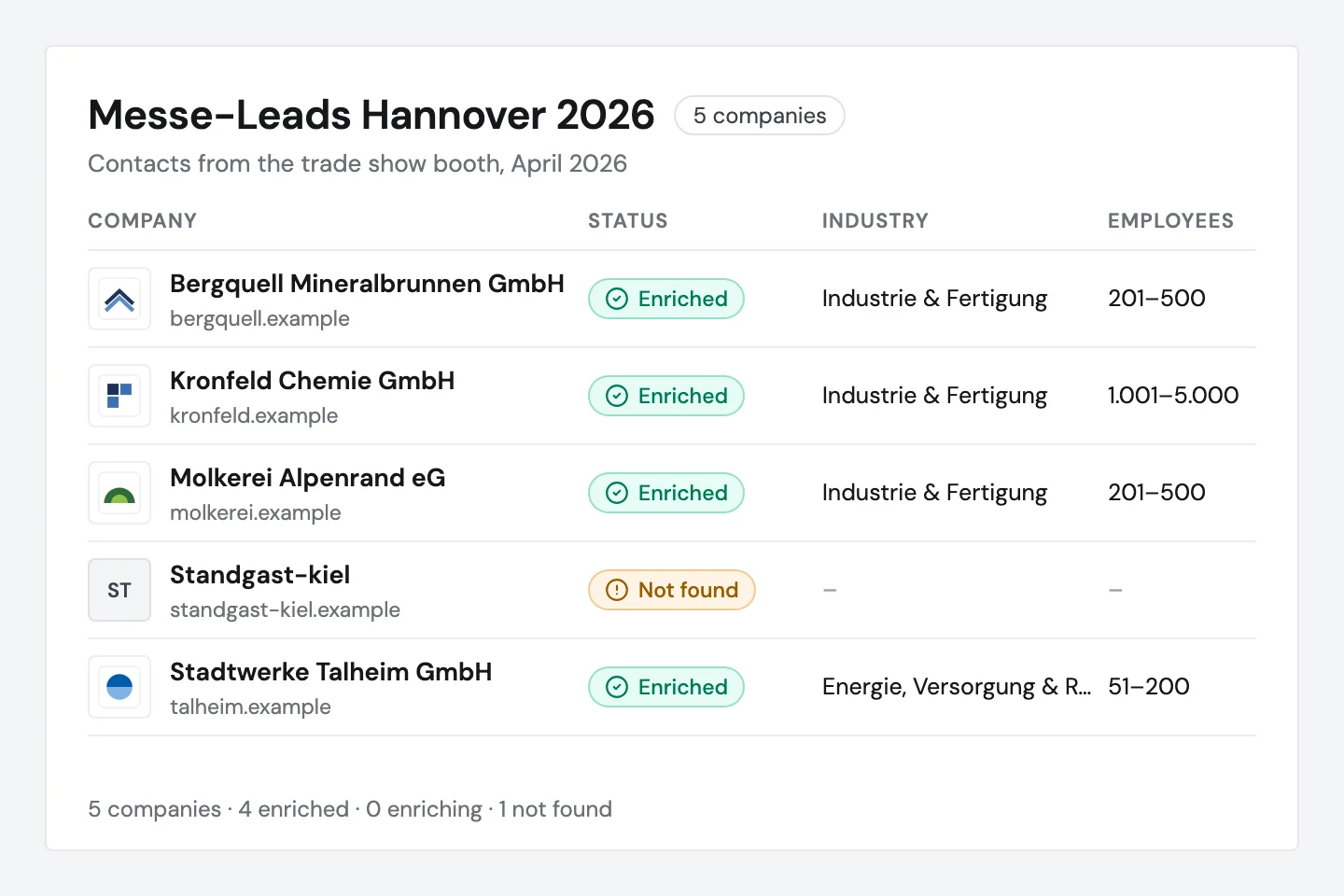
Add industry and size to your own company lists
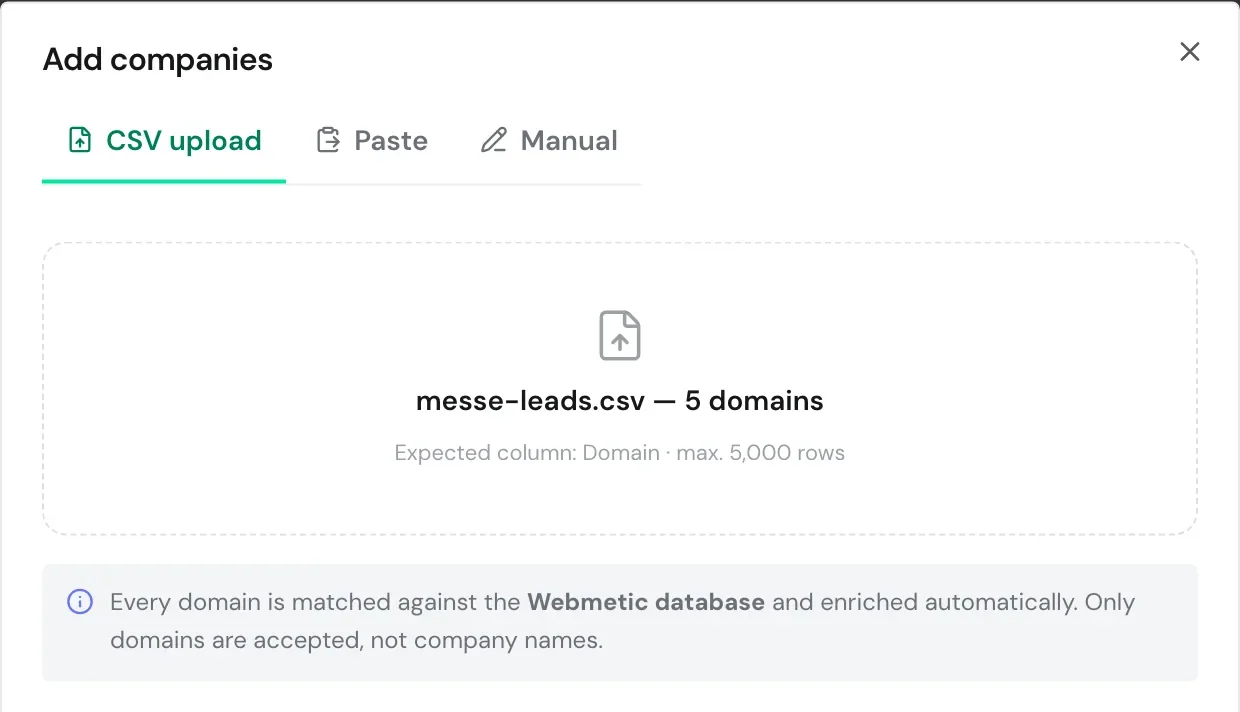
You give Webmetic a list of domains, for example from conversations at your trade show booth or an export from your CRM. Webmetic finds the company behind each domain and enriches the row in the background.
- CSV file, pasted list or a single domain
- At most 5,000 domains per import
- Domains, not company names
Export
Check the results before your CRM import
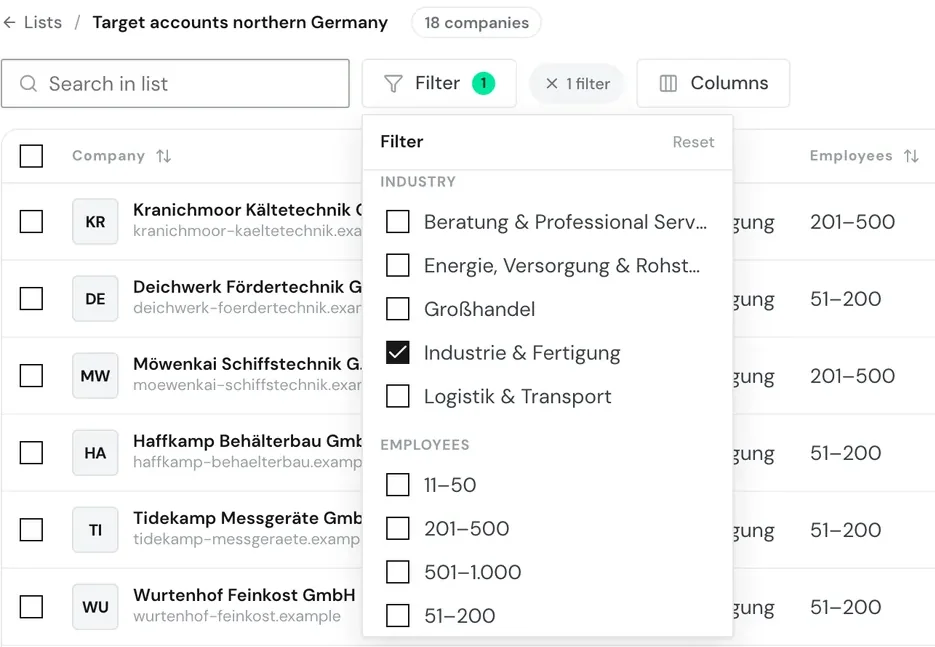
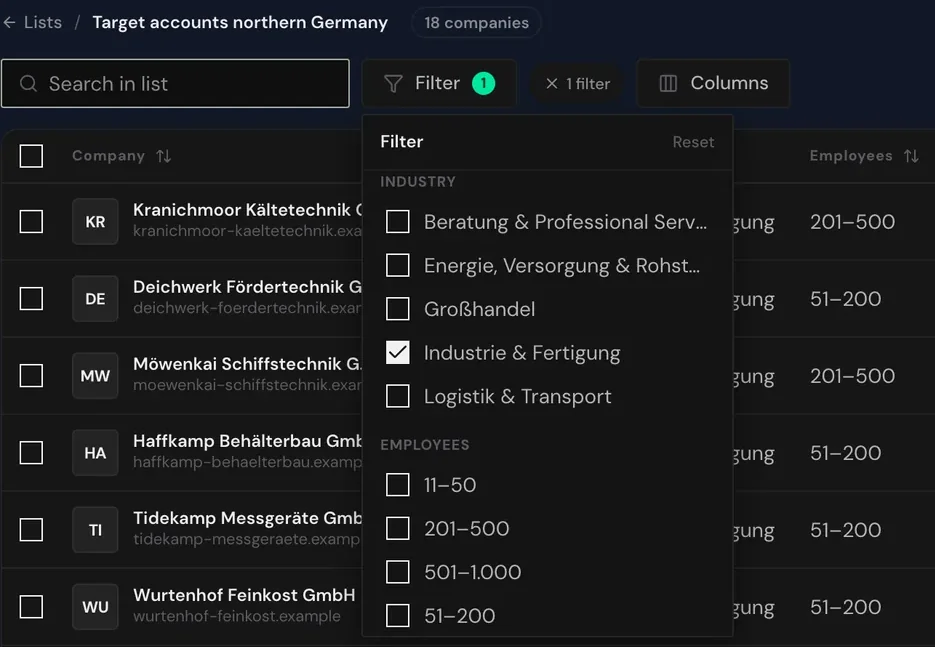
In the table, you filter by industry, employee count, location or status and fix single values with a double click. Then you export the whole list or selected companies as a CSV file for your CRM.
- Filters for industry, size and location
- Single values corrected with a double click
- Export of the whole list or a selection
“With Webmetic, we finally understand which companies use our platform and what they are searching for. These insights help us improve the offering precisely and provide even better service to our manufacturers.”


9,000+
identified companies per month
HubSpot
Keep existing HubSpot records up to date
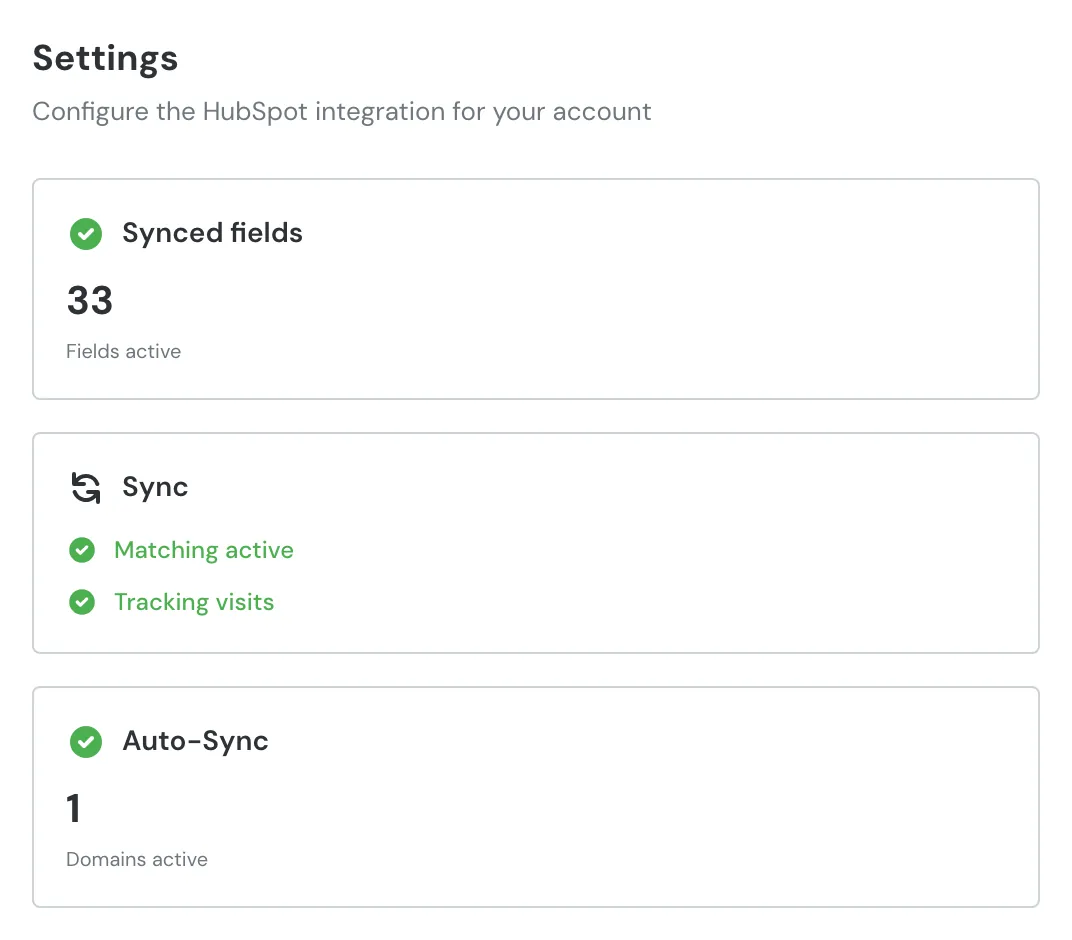
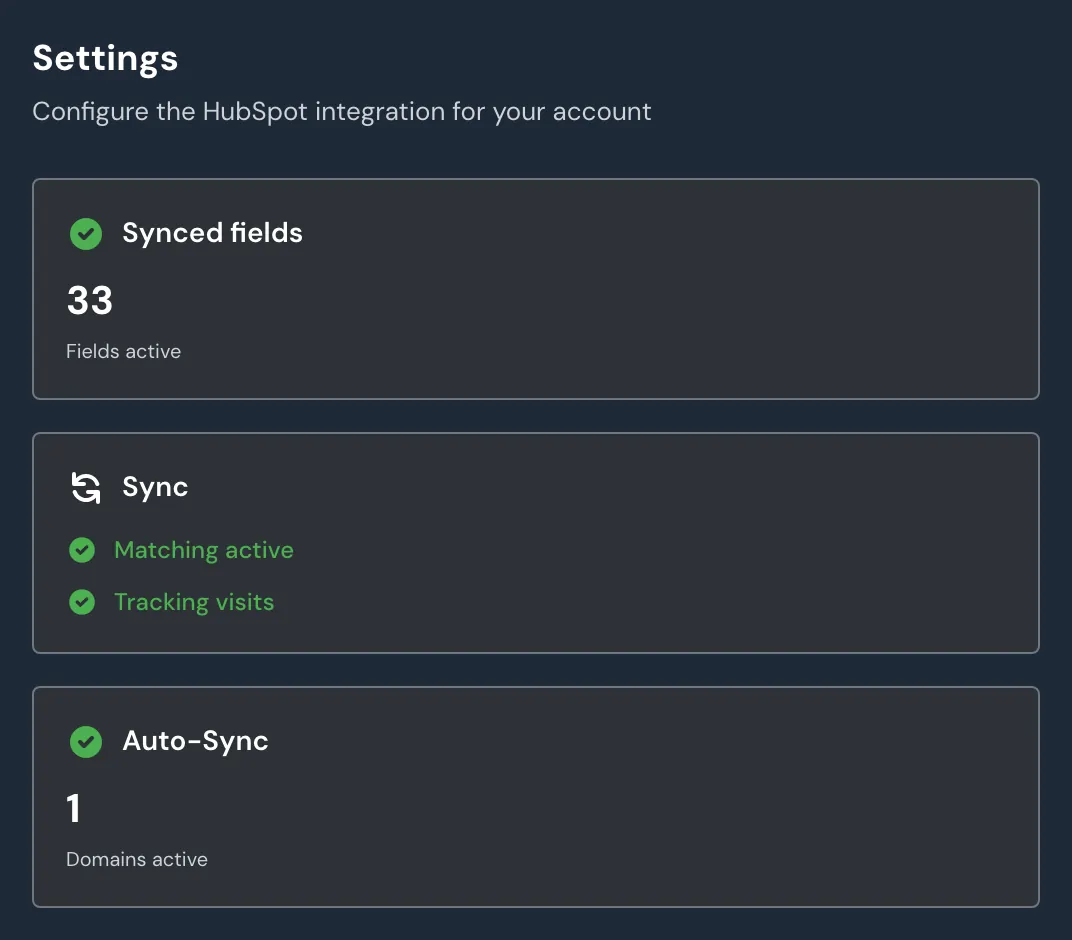
Webmetic creates identified companies in HubSpot or matches them by domain, and logs every visit as a note. You choose the fields, and Webmetic sends new visits and current values about once a day.
- Matching by domain, never by name
- Each field switched on or off on its own
- Automatic sync per website
Works with your CRM and your privacy rules
Integrations
Identified companies go straight to your CRM, and n8n, Zapier or Make reach further systems.
All integrations



Data protection
Webmetic sends companies, not people.
- HubSpot access to companies and their fields only
- One-way transfer, Webmetic deletes nothing
- Servers in Germany
- Documents for your data protection officer
Setup
Setup is not an IT project.
- 1Start the trialwith your website and work email
- 2Have Webmetic addedby your web team or agency
- 3Connect your CRMor upload your first list, in a few minutes
Frequently asked questions
CRM Enrichment
Complete your company list today.
14 days with all features. The trial ends by itself, there is nothing to cancel.