

Make and Zapier
Fetch identified companies with Make or Zapier and pass them on to your other tools.
Make and Zapier use your API key to ask Webmetic which companies visited your website. At the end you'll have:
- a scenario in Make or a Zap in Zapier that checks Webmetic on its schedule
- companies with an intensive, new, or returning visit, each with company data and visits
- this data in another tool, for example a spreadsheet or your CRM
Before you start
- Time: Setting up one scenario or Zap takes about 10 minutes.
- Account: You need a Webmetic account in which Webmetic has already identified companies.
- Access: You need an account with Make or with Zapier, whichever you want to use.
- Rights: Only admins see the Integrations menu item. If a partner manages your account, the partner decides whether it appears.
- Plan: Integrations are available on every plan, including the Free plan. On the Free plan, Webmetic only transfers the companies you see by name. For details, see Free plan.
- Cost: The integration costs no credits.
The three triggers
Make and Zapier offer the same three triggers, and each one returns the companies whose visits in the queried period match its rule:
| Zapier | Make | Which companies the trigger returns |
|---|---|---|
| Intensive Visit | Watch Intensive Visits | Companies with at least one visit of 30 seconds or longer, and only those visits |
| New Visit | Watch New Visits | Companies whose first visit ever falls within the period |
| Returning Visit | Watch Returning Visits | Companies with at least two visits within the period. Earlier visits don't count |
With these triggers, Webmetic doesn't send anything on its own. Make checks on your scenario's schedule, and Zapier checks at the interval that your Zapier plan sets. The three triggers only read your data and change nothing in Webmetic.
Instead of checking, a scenario or Zap can also start from a webhook that Webmetic calls for every event you chose for the webhook. Whether your Zapier plan can receive webhooks is up to Zapier.
The triggers don't know about your segments or tags. Filter in Make or Zapier instead, for example by relevance_score or by weburl, which holds the page of the first visit.
1. Copy the API key
Make and Zapier sign in with the key you find in the Visitor Intelligence card. The keys from Enrichment and Data Layer don't work for these triggers.
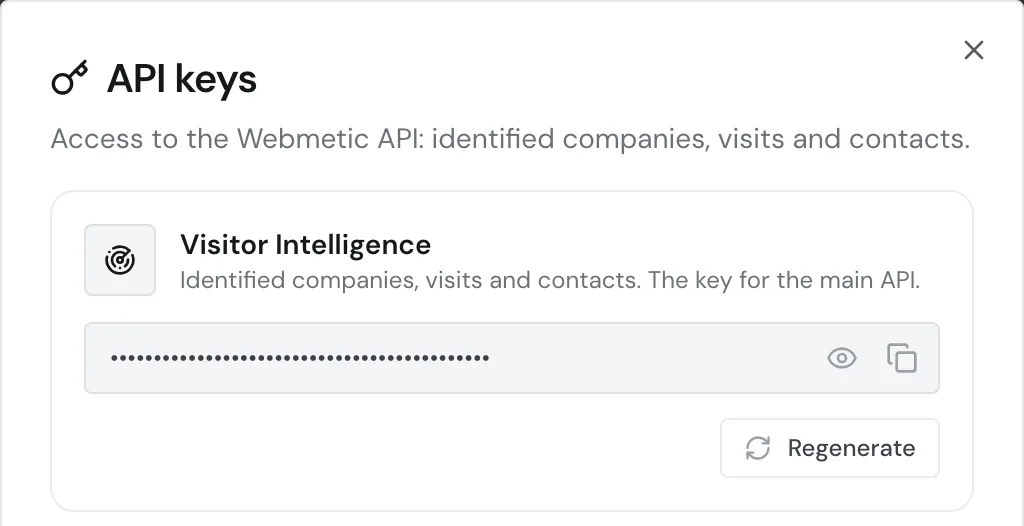
- Open Menu > Integrations > API. The API keys window opens.
- If the Visitor Intelligence card shows No key generated yet., click Generate key.
- In the Visitor Intelligence card, click the Copy icon. You now have the key on your clipboard.
A new key stops every connection
Your account has a single key for Visitor Intelligence. If you click Regenerate twice, the old key stops working. Scenarios, Zaps, and other tools that use this key, for example n8n, then report errors until you enter the new key.
2. Set up a scenario or a Zap
Set up the trigger in the tool you use. In both tools, enter the main domain as it appears under Menu > Websites: without https:// and without www., for example your-website.com. This also applies if you use the tracking code on a subdomain.
Set up a scenario in Make
Make shows what the Webmetic app can do on its Webmetic integrations page.
- In Make, create a new scenario for your Webmetic companies.
- Add the Webmetic app as the first module.
- Choose one of the triggers Watch Intensive Visits, Watch New Visits, or Watch Returning Visits.
- In the module, create a new connection to Webmetic.
- Paste the API key you copied from Webmetic into the connection and save the connection.
- Enter the main domain of your website.
- Start a test run of the scenario. Make then shows you the companies that Webmetic returned.
- Add the next module, for example a spreadsheet that collects the companies.
- Set the scenario's schedule.
- Turn the scenario on so that it runs on this schedule.
When you save the connection, Make only checks that the key has the right format. You'll therefore notice an old key only on the first run.
To call other endpoints of the Webmetic API, use the Make an API Call module.
Set up a Zap in Zapier
Zapier shows what the Webmetic app can do on its Webmetic integrations page.
- In Zapier, create a new Zap for your Webmetic companies.
- Choose the Webmetic app as the trigger for your Zap.
- Choose one of the triggers Intensive Visit, New Visit, or Returning Visit.
- In the trigger, connect a new Webmetic account.
- Paste the API key you copied from Webmetic and confirm.
- In the Domain field, enter the main domain of your website.
- Test the trigger in your Zap. For the test, Zapier fetches the matching companies from Webmetic.
- Add the action, for example a new row in a spreadsheet.
- Publish the Zap so that it runs on Zapier's schedule.
In Zapier, Webmetic offers only these three triggers and no actions.
Data per company
Webmetic returns one record per company with about 50 fields, including the ones below. You get null where a value is missing. Only nace_codes and directors then contain an empty list [].
| Area | Fields |
|---|---|
| Company | company_name, company_url, address, postal_code, city, country, phone_number, email_address, employee_count, revenue, nace_codes, directors |
| Scores | lead_score, fit_score, relevance_score |
| Visits | sessions with the page views, plus sessions_total and pages_total |
| Top level, from the first visit | timestamp, weburl, session_duration, and the UTM fields such as utm_source |
The API reference for Intensive Visits, New Visits, and Returning Visits describes every field.
Filter out hidden companies
On the Free plan, the triggers also return companies you don't see by name. These companies are named "Verborgenes Unternehmen" (German in every account), have blurred: true, and carry no data except the times of their visits.
In Make or Zapier, add a filter right after the trigger that passes on only the records where blurred is not true. Alternatively, the filter checks that company_name is not "Verborgenes Unternehmen".
Troubleshooting
Why does the trigger report an error?
If there is a problem with the key or the domain, Webmetic answers with status 403 and one of these codes:
| Code | Cause | Fix |
|---|---|---|
API_KEY_NOT_FOUND | The key no longer exists, for example after Regenerate | Enter the current key in the connection |
API_KEY_INVALID | The key is incomplete or has extra characters | Copy it again with Copy |
API_KEY_NOT_AUTHORIZED | The domain doesn't belong to your account or is spelled differently | Enter the main domain without https:// and without www., as under Websites |
For all codes, see Authentication.
Why does the trigger return no companies?
If your website had no matching visit in the queried period, the answer stays empty. That isn't an error.