

HubSpot field mapping
Webmetic writes these fields into your HubSpot companies and creates any missing properties itself.
These tables show every field Webmetic sends to HubSpot and apply once you have connected HubSpot.
Field mapping
| Rule | What applies |
|---|---|
| Location | Click Menu > Integrations > HubSpot, then Manage 33 fields under Synced fields. The number shows your mapped fields. The HubSpot settings window now shows Field mapping |
| Rights | Only admins see the Integrations menu item. If a partner runs your account under its own name, this integration isn't available yet. Once the tool is connected, any user can send companies with Send to HubSpot |
| Plan | Integrations are available on every plan, including the Free plan. On the Free plan, Webmetic only sends the companies you see by name. For details, see Free plan |
| Cost | The integration costs no credits |
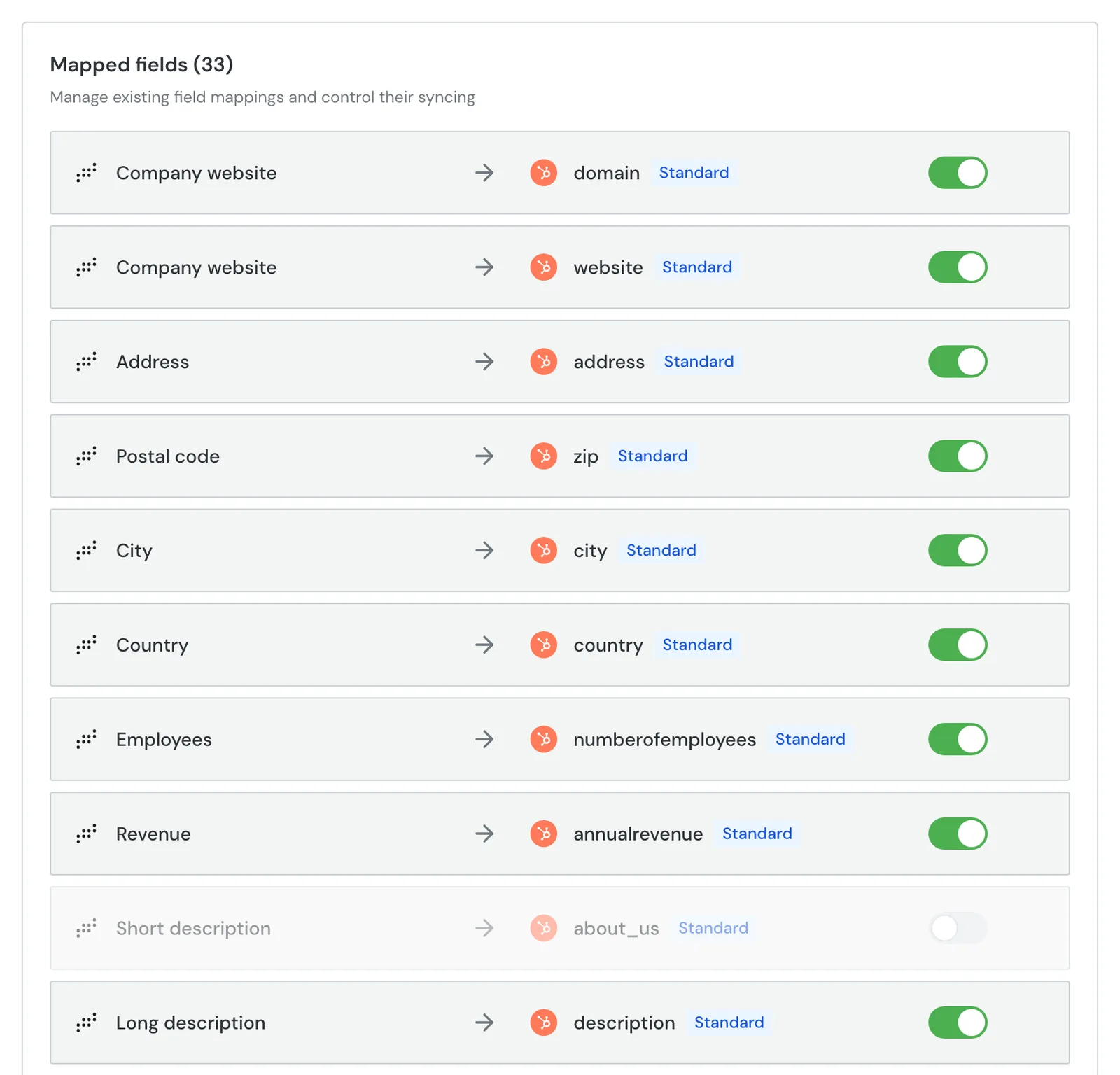
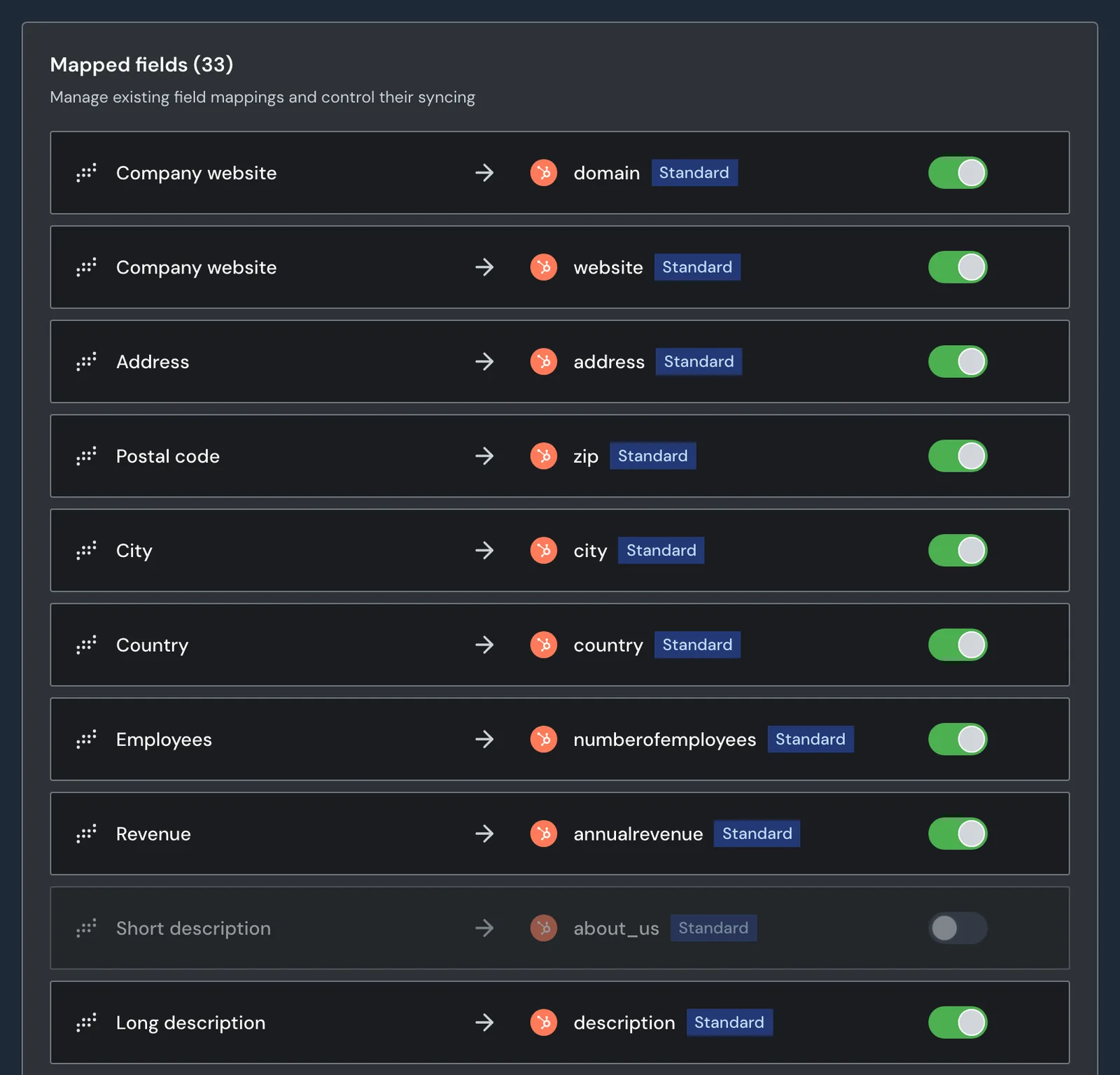
| Default | When you connect, Webmetic creates 33 rows from 32 fields, all switched on. Company website goes to two properties |
| Switch | The switch on a row saves at once. Webmetic no longer sends a row that is switched off. Whatever is already in HubSpot stays |
| Deleting | Switch rows off instead of deleting them. Deleting removes every row with the same Webmetic field or the same HubSpot property, for example both Company website rows |
| Effect | A new or switched-on row applies from the next time Webmetic sends a company. Saving alone writes nothing to HubSpot |
| Reconnecting | If you connect HubSpot again, Webmetic resets the mapping to the default. Your own rows and switched-off rows are lost |
| Empty mapping | Without rows, the HubSpot settings window shows the Set up field mapping view. Create all fields automatically restores the default |
| Badges | Standard marks properties that come with HubSpot, Custom all others. facebook_company_page, twitterhandle, and linkedin_company_page show Custom although they come with HubSpot |
Company data
The type HubSpot means the property already exists in HubSpot. For the types text, number, and date, Webmetic creates the property with that type.
| Webmetic field | HubSpot property | Type | Value |
|---|---|---|---|
| Company website | domain | HubSpot | Domain without www, for example bergquell.example |
| Company website | website | HubSpot | The website without the protocol, for example www.bergquell.example. If the row is off, the value has https:// in front when Webmetic creates the record |
| Address | address | HubSpot | The company's address |
| Postal code | zip | HubSpot | Postal code |
| City | city | HubSpot | City |
| Country | country | HubSpot | Country |
| Employees | numberofemployees | HubSpot | Upper end of the range as a number. 201 to 500 employees becomes 500. For a range with no upper end, the field gets the lower end |
| Revenue | annualrevenue | HubSpot | Upper end of the revenue range as a number, by the same rule |
| Short description | about_us | HubSpot | Short description in German |
| Long description | description | HubSpot | Detailed description in German |
| NACE codes | webmetic_industry | Text | German name of the industry for the first NACE code, for example "Getränkeherstellung" (beverage manufacturing). Not a code |
| Directors | webmetic_directors | Text | Names of the directors, separated by commas |
| Company logo | webmetic_logo_url | Text | Address of the logo |
| Phone number | phone | HubSpot | The company's phone number |
facebook_company_page | HubSpot | Address of the Facebook page | |
twitterhandle | HubSpot | Address of the profile, not the name with @ | |
linkedin_company_page | HubSpot | Address of the LinkedIn page | |
| Email address | webmetic_company_email | Text | The company's general email address. Webmetic does not send invalid addresses |
| Fax number | webmetic_fax | Text | The company's fax number |
webmetic_instagram | Text | Address of the Instagram profile | |
| YouTube | webmetic_youtube | Text | Address of the YouTube channel |
Visit data and scores
| Webmetic field | HubSpot property | Type | Value |
|---|---|---|---|
| Webmetic URL | webmetic_dashboard_url | Text | Link to the company in Webmetic |
| Lead score | webmetic_lead_score | Number | The activity as a whole number from 0 to 100 |
| Relevance | webmetic_relevance_score | Number | The relevance as a whole number |
| Total visits | webmetic_total_visits | Number | All of the company's visits on this website |
| Visits (last 7 days) | webmetic_visits_last_7_days | Number | Visits in the last seven days |
| Last visit | webmetic_last_visit_date | Date | Date of the last visit, without the time |
| Total duration | webmetic_total_duration_seconds | Number | Duration of all visits together in seconds |
| Most visited page | webmetic_most_visited_page | Text | Full address of the page with the most views |
| UTM campaign | webmetic_utm_campaign | Text | Most frequent UTM campaign across all visits |
| UTM source | webmetic_utm_source | Text | Most frequent UTM source across all visits |
| UTM content | webmetic_utm_content | Text | Most frequent UTM content across all visits |
| UTM medium | webmetic_utm_medium | Text | Most frequent UTM medium across all visits |
For the UTM fields, Webmetic also counts visits without UTM parameters. If most visits have no parameter, Webmetic sends no value.
Your own rows
| Rule | What applies |
|---|---|
| Adding | Under Add a new field, select a Webmetic field, enter the internal name of the property under HubSpot field, and click Add to mapping |
| Fields left | After the default, Company name and Fit are left. You can add each Webmetic field only once |
| Company name | When Webmetic creates a record, it always sends the name as name. With your own row, Webmetic also overwrites the names of existing records |
| Fit | The fit share as a whole number. A new name such as webmetic_fit_score works as the target |
| Name | Starts with a lowercase letter and contains only lowercase letters, numbers, and underscores, at most 256 characters |
| One row per property | Each HubSpot property can be the target of only one row. Otherwise This field name is already in the mapping appears |
| Existing property | If the name already exists in HubSpot, Webmetic writes to that property. Webmetic creates every other name as a new property |
| Matching type | Map text only to text properties, numbers only to number properties, and Last visit only to a date property. Webmetic sends all values of a company together, so one value that does not fit can make the whole update fail |
New properties in HubSpot
| Rule | What applies |
|---|---|
| When | When you connect and before each send, Webmetic creates every switched-on property that HubSpot does not have yet. With the default, that is 19 |
| Internal name | The name from the field mapping, for example webmetic_lead_score |
| Label | The name with spaces instead of underscores and capital initials, for example "Webmetic Lead Score" or "Webmetic Utm Campaign" |
| Group | companyinformation |
| Description | A short English text from Webmetic |
| Type | Text, number, or date, depending on the Webmetic field |
| HubSpot's own properties | Webmetic never creates them |
| Limit | How many custom properties you can create depends on your HubSpot plan |
| Deleted property | Webmetic creates it again the next time it sends data, as long as the row is switched on |
| Removing | Webmetic deletes no properties in HubSpot |
Matching with existing companies
| Rule | What applies |
|---|---|
| Match existing companies on | The default. Webmetic looks for a HubSpot record with the same domain and uses the first match |
| Changing it | The new setting applies to companies Webmetic sends after the change |
| Off, or no match | Webmetic creates a new record |
| Domain only | Name and address do not count. Webmetic cannot find a record without a domain and creates a second one |
| New record | Gets name, domain, website, phone, address, city, postal code, country, both descriptions, number of employees, revenue, LinkedIn, Facebook, and Twitter, even if their row is switched off |
| Deleted in HubSpot | Webmetic stops updating the record and does not create it again by itself |
Existing values
| Rule | What applies |
|---|---|
| Overwriting | Every switched-on row with a value overwrites the HubSpot value at every update, existing records included. There is no option to fill only empty fields |
| Empty values | If Webmetic has no value, it sends nothing. HubSpot keeps its value, and Webmetic clears no property |
| Switched-off rows | Webmetic does not send them. Earlier values stay in HubSpot |
| Properties without a row | Stay unchanged |
| Name | Webmetic only changes the name of an existing record with your own row for Company name |
| Timing | When you send a company, Webmetic starts right away in the background. Webmetic sends new visits and current values about once a day |
| Language | Descriptions and industry are always German, even in the English dashboard |
Visit notes
| Rule | What applies |
|---|---|
| Switch | Sync website visits, on by default |
| Switching off | If you switch Sync website visits off, no company gets new notes. If you switch it on again later, Webmetic sends only the visits after each company's last send |
| Scope | One note per visit, not per page view |
| First send | Webmetic writes all past visits of the company on this website as notes |
| New visits | About once a day, each visit once |
| Date | Start of the visit |
| Where in HubSpot | On the company's record under Activities > Notes |
| Association | With the company only. Webmetic links notes to no other record |
| Content | Duration, source when known, and each page with title, path, time on page, and scroll depth. No IP address, no location, no browser, and no device |
| Language | Always English |
| Changes | Webmetic never edits or deletes notes, not even when you switch the option off or disconnect |
| Sending again | If you take a company out and send it again, Webmetic writes all visits as notes once more |
A note with invented values looks like this:
Duration: 4m 12s
Source: linkedin / paid (Campaign: messe-2026)Path:
1.) Preise (/preise) | 95s | 80%
2.) Kontakt (/kontakt) | 40s
Data not sent
| Data | Note |
|---|---|
| Contacts | Webmetic sends companies, not people. Unlocked email addresses and phone numbers stay in Webmetic |
| Tags, comments, and segments | Stay in Webmetic |
| Session recordings | Stay in Webmetic |
| Ideal customer profile details | Webmetic sends only the Relevance value and, with your own row, Fit |
| Webmetic company ID | Not mapped |
| Data from HubSpot | Nothing flows back from HubSpot to Webmetic |