

Usage
Check how many companies Webmetic counts in your account per usage month.
Use the Usage window before a purchase to see which volume you need, and afterwards to check whether your booked volume still fits. At the end you'll have:
- the number of companies Webmetic has counted in the current usage month
- an estimate for the whole month and how reliable it is
- the figures of earlier months, per day or added up
- as an admin on Starter or Growth, a comparison with your booked volume under Billing
Before you start
- Time: Reading the figures takes less than a minute.
- Rights: Every user can open Usage, whether admin or User.
- Plan: Usage is part of every plan, including the Free plan and the trial.
- Cost: Opening the window costs no credits.
- Data: Your tracking code has to send visits, and Webmetic updates the figures once a day. Until the first update, the window shows the message No usage data available.
Read the current month
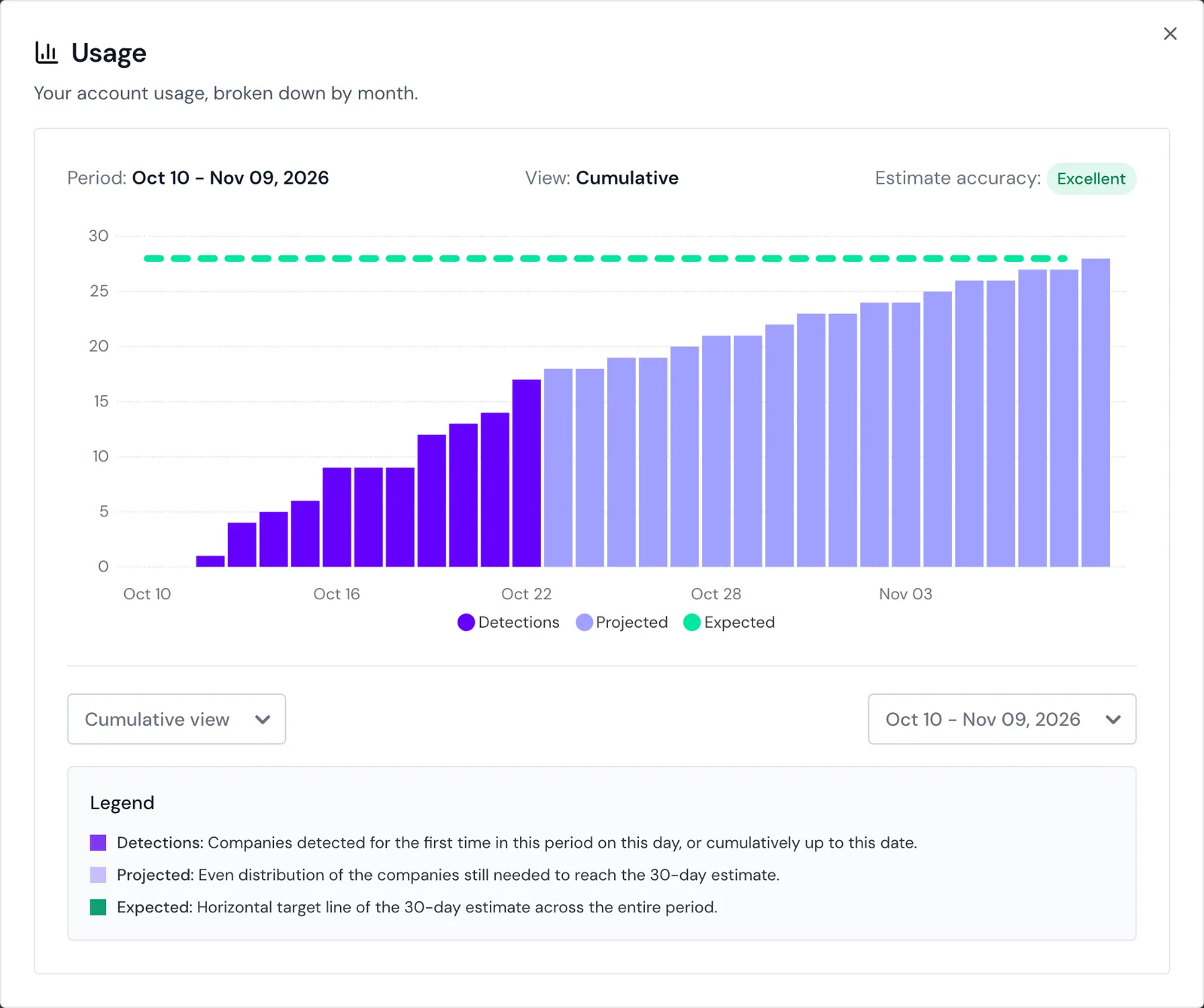
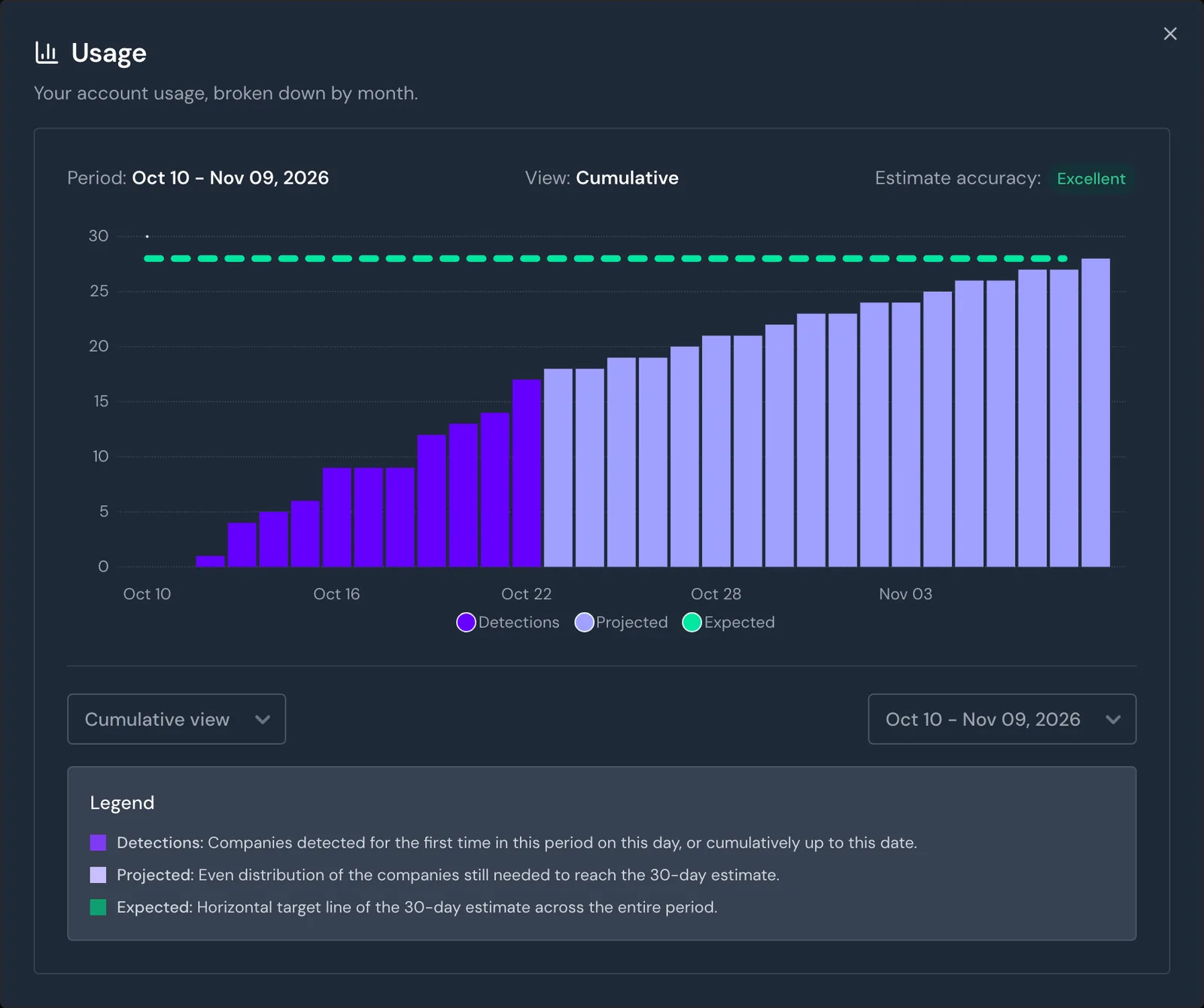
- Open Menu > Usage. The window shows the current usage month in the Cumulative view.
- Point at a bar. Webmetic shows how many companies were counted up to that day.
The chart shows three values:
- Detections: The companies Webmetic has counted so far, as bars that grow day by day.
- Projected: Lighter bars spread the companies still missing over the remaining days.
- Expected: The horizontal line shows the estimate for the whole month.
The estimate is based on the companies of the last 30 days, not only on the current month. Next to Estimate accuracy: you see how reliable it is, from Excellent to Low.
With every day of incoming data, the estimate gets more accurate.
Switch to the daily view
Select Daily view on the left below the chart. Each bar shows the companies that visited your website for the first time in the usage month on that day.
If a company visits your website again in the same usage month, it doesn't count again. The dashed Trend line shows whether the daily figure is rising or falling.
View earlier months
Select a period on the right below the chart. The newest period is at the top of the list.
An earlier month shows the Complete status and only the final figure, without an estimate.
Counted companies
Webmetic counts each company once per usage month, no matter how often it visits your website or how many pages it views. In addition:
- All websites: Webmetic counts the websites of your account together and shows no figure per website.
- Only your list: Only companies that appear in your company list count. Companies that Webmetic leaves out of the list because of the domain blacklist or an organization type you switched off don't count.
- Free plan: Companies you can't see by name count too. For details, see Free plan.
- No credits: Credits and API calls don't appear here. You find your credits under Credits.
A usage month is not always a calendar month. It starts on the day of the month on which your trial started, and after the first purchase it follows your first paid day.
If that day falls on the 29th to the 31st, the usage month starts on the 28th. Without a trial and without a purchase, Webmetic counts by calendar month.
Compare usage with your booked volume
On the Starter and Growth plans, admins see the line Companies identified this month under Menu > Billing, which counts the same usage month. For details, see Billing.
If your partner bills your account, you don't see Billing.
If you are above your booked volume, Webmetic blocks nothing and charges nothing automatically. All companies stay visible, and Usage shows the full figure.
Webmetic sends no warning when you reach your booked volume. If you stay above it for good, admins book a higher volume under Billing.