

Plans
A plan decides which features your Webmetic account has.
Webmetic has four plans: Free, Starter, Growth, and Enterprise. For example, a machine builder on the Starter plan sees every company on its website and sends them to its CRM. It can only publish a Smart Page with Growth, though.
With Starter and Growth, you also choose how many identified companies per month you pay for. Even if Webmetic identifies more companies, it doesn't lock anything.
Credits are separate from the plan.
From trial to plan
- 1TrialYour account starts with the Growth features. The trial lasts 14 days and starts when Webmetic detects your tracking code for the first time.
- 2Free planIf you don't buy a plan, your account moves to the Free plan by itself afterwards. Webmetic deletes nothing.
- 3Starter or GrowthAn admin buys a plan under Billing. If they buy during the trial, the plan only starts when the trial ends.
- 4UpgradeAdmins can book a larger plan at any time, and the new features apply at once.
You don't need payment details for the trial. How it runs and what applies on the Free plan is under Trial and Free plan.
The plans at a glance
- Free plan: You see the first 10 new companies each month with their name, and every company from your trial or paid time stays readable.
- Trial: You use the Growth features for 14 days without buying a plan.
- Starter: You see every company and use exports, integrations, the API, and the AI assistant for all of them.
- Growth: Adds published Smart Pages with AI text per company, ICP Analytics, Enrichment, and session recording.
- Enterprise: Everything in Growth, plus sign-in with single sign-on through Microsoft and server-side identification through the Data Layer. You request Enterprise from us; you don't buy it in the dashboard.
Features by plan
Growth and the trial include the same features. The table shows what each plan includes:
| Feature | Free | Starter | Growth and trial | Enterprise |
|---|---|---|---|---|
| Companies with their name | first 10 per month | all | all | all |
| Export, integrations, API, AI assistant | readable companies only | yes | yes | yes |
| Contacts | readable companies only | yes | yes | yes |
| Design and test Smart Pages | yes | yes | yes | yes |
| Publish Smart Pages | no | no | yes | yes |
| AI text per company | no | no | yes | yes |
| ICP Analytics | sample data | sample data | yes | yes |
| Enrichment | existing lists | existing lists | yes | yes |
| Watch session recordings | no | no | yes | yes |
| Single sign-on | no | no | no | yes |
| Websites | limited number | limited number | unlimited | unlimited |
On every plan you can add as many users as you need and give them the Admin or User role. For details, see Users and roles.
You get Support on every plan. Starter and Growth also include monthly credits. Credits describes how many credits your account gets and when.
Identified companies per month
You buy Starter and Growth for a fixed number of identified companies per month, your booked volume. You pay monthly or annually. If Webmetic identifies a very large number of companies on your websites, talk to us about an Enterprise solution.
The volume doesn't lock anything. If Webmetic identifies more companies, they all stay visible, and Webmetic doesn't charge anything extra automatically.
Under Menu > Usage you see how many companies Webmetic counted in the current usage month.
If you stay above your booked volume for good, admins book a higher volume under Billing. For details, see Usage.
Locked features
Most features your plan doesn't include stay visible in the dashboard. Webmetic marks them in two ways:
- Lock: Menu items your plan doesn't include show a lock on the right.
- Growth: On Free and Starter, the ICP Analytics, Enrichment, and Smart Pages tabs carry the Growth badge. You can still open the tab and see what it does.
Session recording, on the other hand, is missing entirely on Free and Starter: visits have no icon to play a recording.
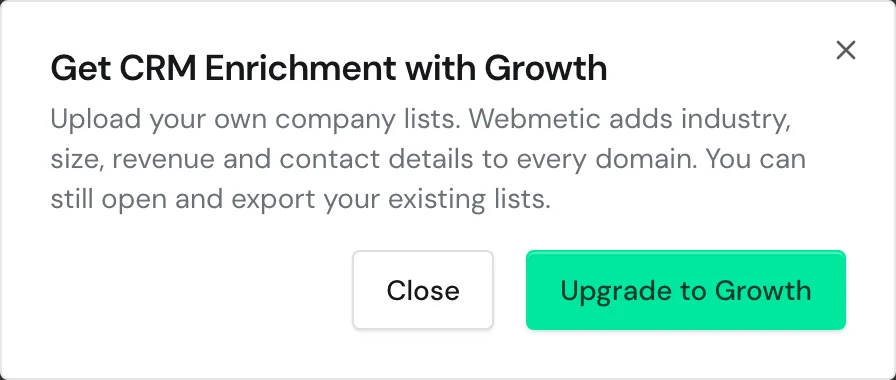
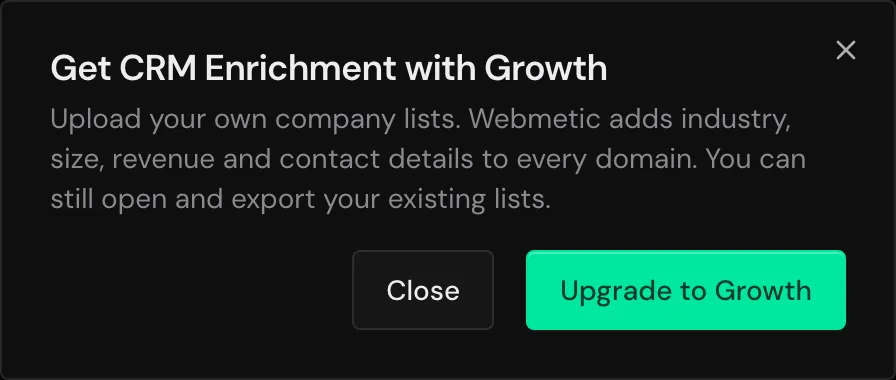
When you click a locked feature, Webmetic opens a window, for example one titled Get CRM Enrichment with Growth.
The Upgrade to Growth button takes you to the plan, and Close takes you back. For single sign-on, the button is Request Enterprise.
Only admins book a different plan. Users with the User role see a note that an admin manages the plan instead of the button.
Once your plan's website limit is reached, the Website management window shows the Upgrade to Growth button instead of the form. If your account has more websites than your plan allows, they all stay, but you can't add more. For details, see Websites.
End of a plan
If you cancel, you keep every feature until the end of the paid period. After that your account is on the Free plan, and your account, data, and credits stay:
- Companies: Everything Webmetic identified until then stays readable with its name.
- Smart Pages: Published pages show the Paused: visible with Growth status, and your website shows the original text again. After an upgrade the Smart Pages appear again.
- Enrichment: Your lists stay, and you can still open and export them. New lists need Growth.
- ICP Analytics: The tab only shows sample data instead of your own data.
- Notifications: After a cancellation, Webmetic no longer sends scheduled notifications. For details, see Notifications.
Current plan and plan changes
At the top right, your plan appears under your name: Starter, Growth, or Enterprise. In the trial and on the Free plan, the top bar shows a badge instead, for example Trial: 13 days left or Free plan.
Admins manage the plan under Menu > Billing. An upgrade applies at once, and nobody has to sign in again.
How to buy and cancel a plan is under Billing.
If you want to move to a smaller plan or change the billing period, write to Support.
Customers with a contract from before the current plans keep their previous terms and every feature. For them, Billing shows the Existing plan badge.
If a partner manages your account, they decide which menu items you see. If your partner bills your account, you don't see Billing.