

Recorded events
The tracking code records these actions automatically, and Webmetic shows most of them in the timeline of a visit.
The tracking code records the events on this page without any setup, and most appear as chips in the timeline of a visit.
Events in the timeline
| Event | Chip | What the chip shows | When the tracking code records it |
|---|---|---|---|
| Form start | Form started | The number of fields in the form | When someone selects a field of the form for the first time. If someone submits or abandons the same form later in the visit, the chip disappears |
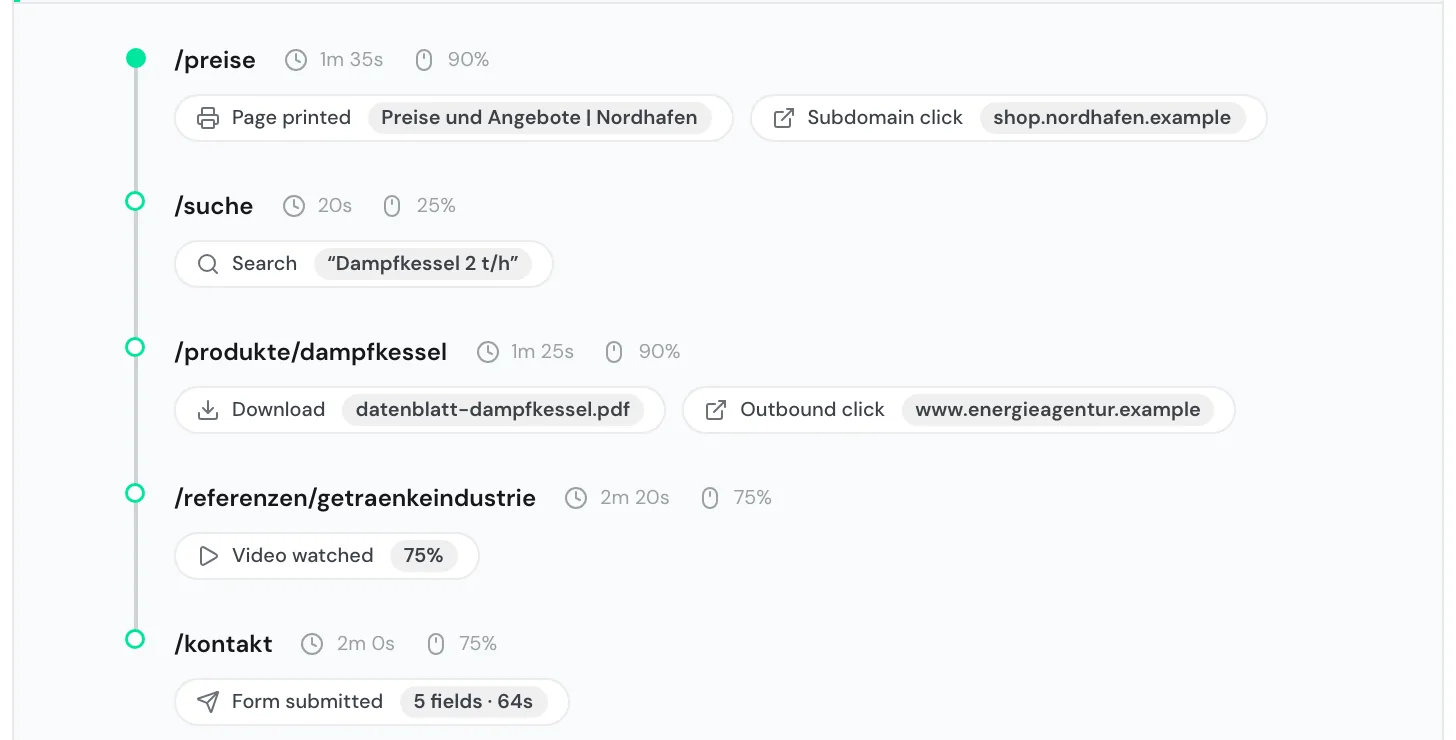
| Form submission | Form submitted | The fields filled in and the seconds from the first field to submitting | When someone submits the form |
| Form abandonment | Form abandoned | That a started form was not submitted | When someone leaves the page with a started form |
| Download | Download | The file name | When someone clicks a link to a file |
| Click to another website | Outbound click | The target's host name | When someone clicks a link to a different host name |
| Click to a subdomain | Subdomain click | The subdomain's host name | When someone clicks a link to a subdomain of your domain |
| Search on your website | Search | The search term in quotation marks | When someone submits a search or loads a page with a search term in the address |
| Video start | Video started | That someone started a video | When a video starts. From 25%, Video watched replaces the chip |
| Video progress | Video watched | The highest step reached: 25, 50, 75, or 90% | When the video reaches one of these steps |
| Printing | Page printed | The page title | When someone prints the page |
| Place | Display |
|---|---|
| Visit row | Up to three tiles, grouped by event type and with a count. A tile such as "+2" sums up further types, and its tooltip names them |
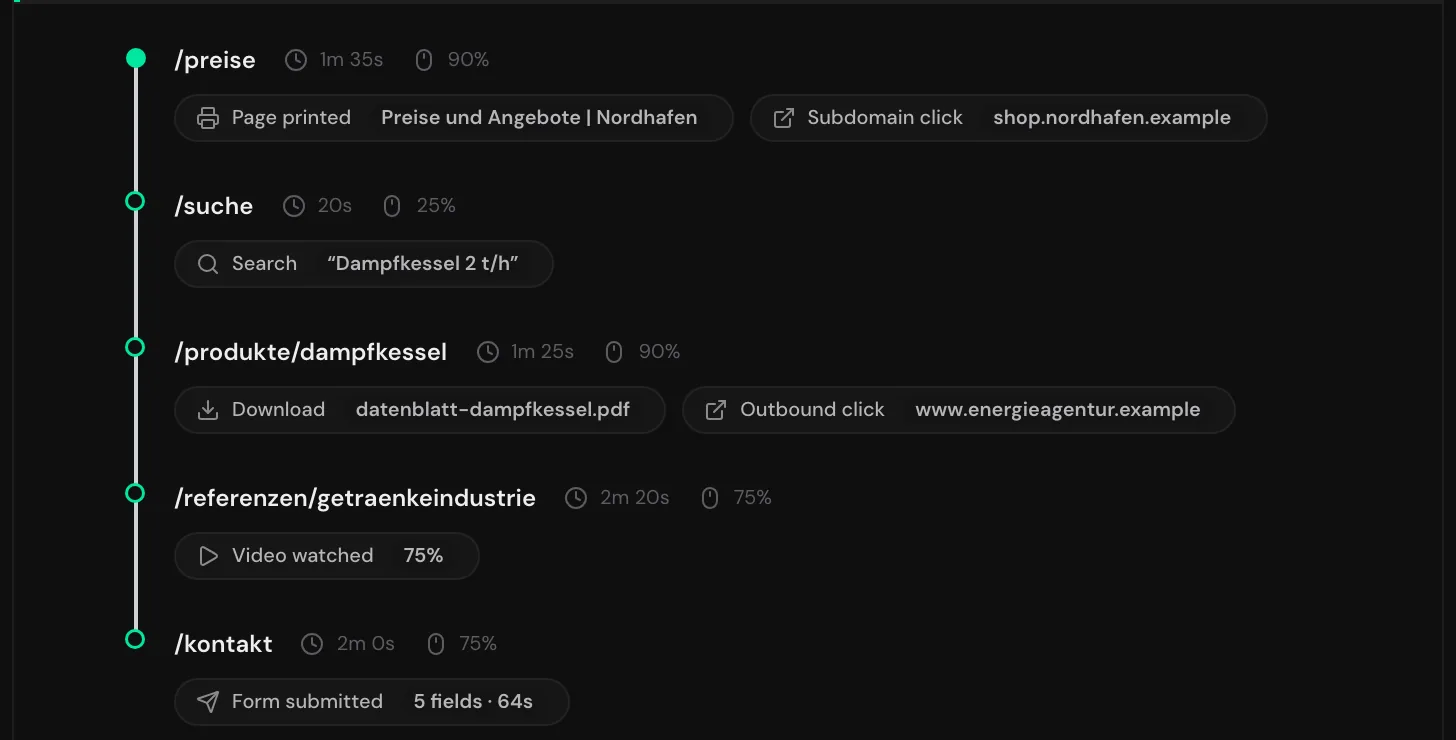
| Timeline | One chip below the page where the event happened. Webmetic stores identical events on the same page only once |
Forms
| Case | What Webmetic records |
|---|---|
Form with a <form> element on your page | Start, submission, and abandonment |
Search form with role="search" | A Search, not a form |
Input fields without a <form> element | No form event |
| Form in a third-party iframe, for example from an embedded form tool | Nothing, because the browser prevents it. For details, see Special cases |
| Form that sends its data to an advertising service's pixel | No form event |
| Entries in form fields | The timeline shows no entries, only the start, submission, and abandonment of a form |
Downloads and clicks
| Event | What counts |
|---|---|
| Download | A link to a document, an archive, a media file, or a design file, recognized by its file extension. These include, for example, PDF, Office and OpenDocument formats, CSV, TXT, ZIP, RAR, 7Z, MP4, MOV, MP3, WAV, PSD, AI, and FIG. Any link with the download attribute counts too |
| Outbound click | A link to a different host name. If a file is on another host, Download and Outbound click appear together |
| Subdomain click | A link to another subdomain of your domain, for example from your-website.com to shop.your-website.com |
| Buttons | Clicks on buttons without a real link don't count, even if they lead to another page |
Search on your website
| Source | What counts |
|---|---|
| Search form | A form with role="search", a form whose target contains "search", or a search field of type search |
| Search term in the address | The parameters q, s, search, query, keyword, term, and suche, for example your-website.com/search?q=steam+boiler. Webmetic reads them when the page loads and on page changes in single-page apps |
Videos
| Player | What Webmetic records |
|---|---|
| YouTube | Only with enablejsapi=1 in the iframe address, for example https://www.youtube.com/embed/VIDEO_ID?enablejsapi=1. This also applies to youtube-nocookie.com |
| Vimeo | Embedded Vimeo players without any extras |
Your own videos with <video> | All videos except those that start automatically and muted |
| Videos loaded later | Also videos that appear only after the page has loaded |
| Display in the timeline | Video started or Video watched with the highest step. 90% is the highest value, even for a video watched to the end. The chip doesn't name the video |
Printing
| Trigger | Display in the timeline |
|---|---|
| Someone prints the page, for example through the browser's print menu | Page printed with the page title |
Values per page
These values appear next to each page in the timeline, not as chips:
| Value | Icon | Meaning |
|---|---|---|
| Scroll depth | Mouse | The deepest step reached: 25, 50, 75, or 90%. Pages that can't scroll show no value |
| Time on page | Clock | The active time: the tab is visible, and the person was active in the last 60 seconds. The stopwatch in the visit row shows the sum of all pages |
Events not shown or not recorded
The tracking code records email and phone clicks as well as audio, but the timeline doesn't show these events at the moment.
| What | Status |
|---|---|
| Clicks on email and phone links | Recorded, but not visible. The tracking code only sends the link type and the page path, never the address or number |
Audio with <audio> | Recorded, but not visible |
| Your own events and page views by code | Not possible. The tracking code has no interface for them |
| Goals and conversions | Can't be set up |
| Clicks on buttons and other elements without a link | Not recorded |
Changes of only the anchor (#) in the address | Not recorded |
| Hovering, selecting, and copying text | Not recorded |
| JavaScript errors | Not recorded |
| Segments by event | Not possible. Segments filter by UTM values or page path, for example, not by event type |