

Troubleshooting
Find the cause of any problem in Webmetic and the page with the fix.
If this page doesn't solve your problem, open Support in your profile menu.
Each answer names the most common cause and links to the page with all the steps. Only sign-in problems are solved right on this page.
Before you start
- Permissions: Most fixes work without admin rights, but only admins manage integrations, API keys, billing, users, and SSO.
- Plan: Support and all checks are available on every plan, and they cost no credits.
Installation and tracking code
Why are no companies showing yet?
As long as Webmetic hasn't identified a company for your website, the list shows Account set up. First check the status under Menu > Websites.
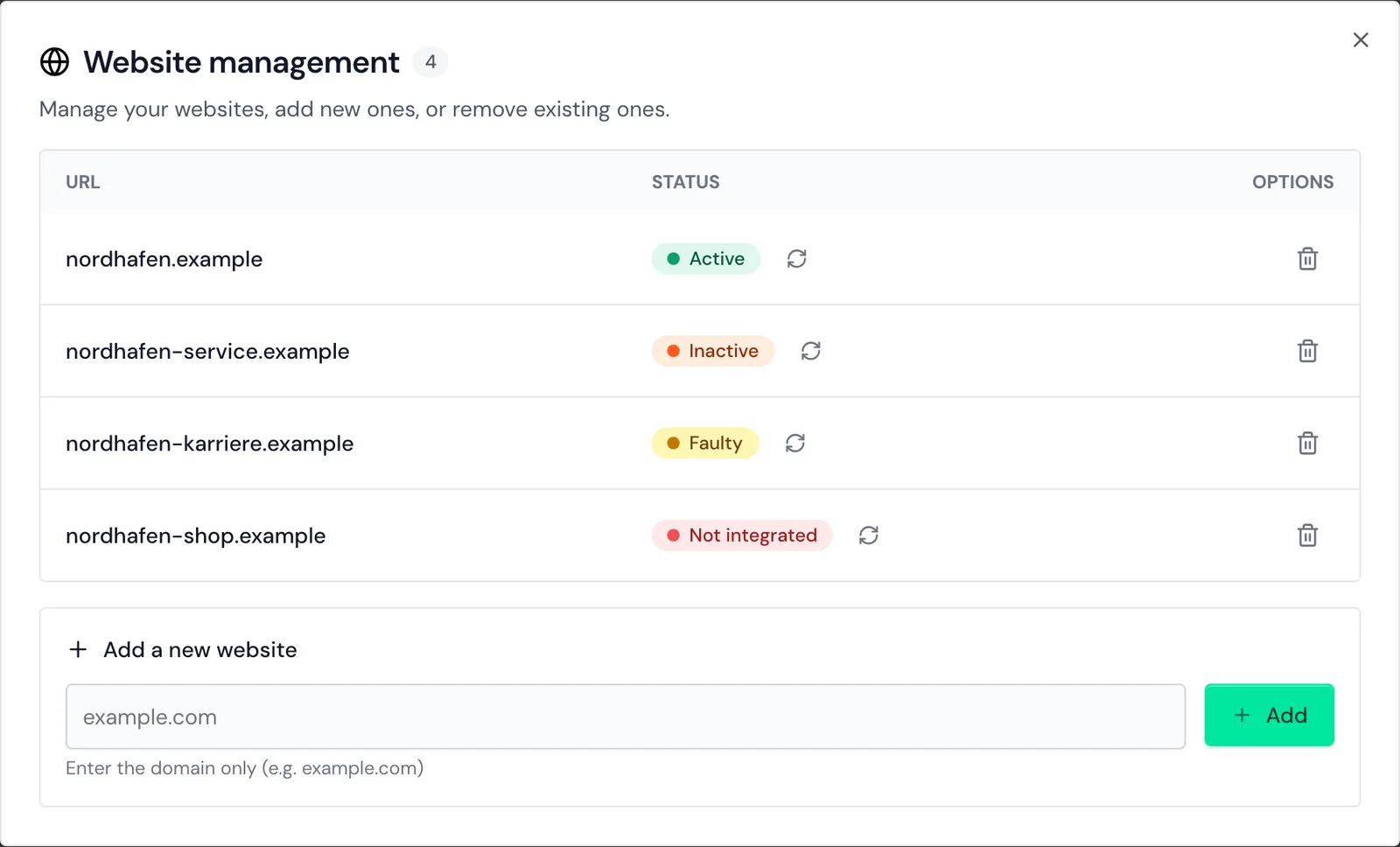
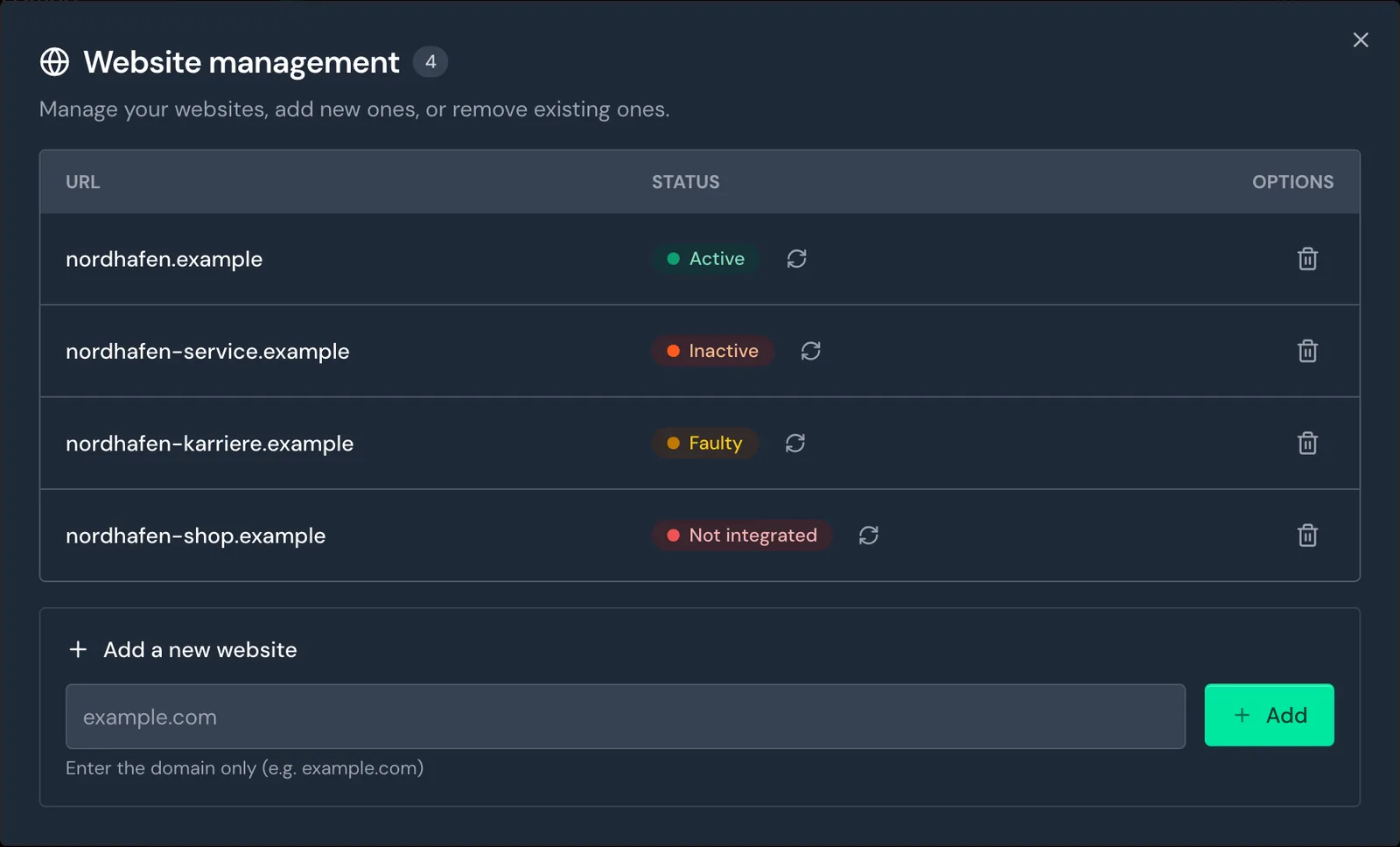
If your website is Active, visits are arriving, and the first companies appear with the first identifiable visits. Your trial starts only when Webmetic detects your tracking code for the first time.
For details, see Website status.
Why is my website not active?
The website status names the cause, and the table links to the fix:
| Status | Cause | Fix |
|---|---|---|
| Inactive | No visit with your account ID has arrived for more than 24 hours. | Website inactive |
| Faulty | Visits arrive without an account ID, for example because a caching plugin rewrites the code. | Website faulty |
| Not integrated | In the last 30 days, no data arrived, or only data with someone else's account ID. | No tracking code found |
If the code runs on a test or staging domain, the visits count for that domain. For details, see Another domain.
Why is the tracking code not found?
The deep check shows the message No tracking code found when the code is missing from the page, isn't published yet, or a cache delivers the old page. For details, see No tracking code found.
The table lists other causes and their fixes:
| Cause | Fix |
|---|---|
| Code with someone else's account ID, for example copied from a sample | Wrong account ID |
| A consent tool loads the code only after consent | Code after consent |
A security policy blocks t.webmetic.de | Security policy |
| Single-page app, subdomain, or caching plugin | Special cases |
Whether the code may load before consent is a question for your data protection advisor.
You'll find the checks for your platform under WordPress, Shopify, Matomo Tag Manager, Google Tag Manager, and All platforms. The page Check your installation explains every message of the check.
Company list and profile
Why are companies missing from my list?
Check your selection first, because by default the list shows the current month, and the previous month during the first seven days of a month. If a segment, a search, or a subdomain view excludes all companies, the list shows the message No results found.
Webmetic doesn't assign visits through private connections, mobile networks, or VPNs to a company, and that isn't an error. For details, see these pages:
Why do I only see hidden names?
On the Free plan, you see the first 10 new companies of each month by name, and all others appear blurred. Once an admin chooses a plan with Choose a plan, you see all names again.
For details, see Hidden names and Free plan.
Why does an unexpected company appear?
If it's Webmetic GmbH, it's the test company from the start of your trial, and you don't need to do anything. For details, see Unknown company.
Webmetic hides your own company only on your own website, so it appears on the other domains of your account. Then add your company's domain under Menu > Company > Domain blacklist, because Webmetic offers no exclusion by IP address.
For details, see Own company appears and Own company missing.
Why is a company's data wrong?
On public networks such as hotel or trade fair Wi-Fi, Webmetic can show the network's operator. The profile leaves out details Webmetic doesn't know.
Report both in the profile with Report data, as described in Report wrong data.
Notifications and export
Why is my notification not arriving?
Webmetic sends notifications only on the chosen days from Monday to Friday and at the chosen hour, German time. Also check the recipients, and add notification@webmetic.de to the exceptions of your spam filter.
If your account was cancelled or a payment failed, Webmetic sends no scheduled notifications. For details, see these pages:
Why are companies missing from the export?
The export contains the current list with its time range, segment, and search, and on the Free plan only the companies shown by name. The format for Google leaves out companies without an email address and phone number.
For details, see Export with fewer companies.
If Webmetic shows the message Export failed. Please try again., an Excel file with page views can have too many rows. Choose a shorter time range, as described in Excel export fails.
Contacts and credits
Why does Webmetic find no contacts?
If Webmetic finds no one, the section shows the message No contacts found. A new search with the same settings returns the same result.
Choose more departments or a lower minimum level, as described in Check an empty result. If the search is missing entirely, first set up the contact profile.
Why does unlocking open the credits window?
Unlocking an email address or phone number costs credits. If you don't have enough credits, Webmetic opens the window with your credits instead of an error message.
The window shows Available credits, and under Top up credits every user in your account can buy more. For details, see Top up missing credits.
Integrations, API, and AI assistant
Why does an integration fail?
Because only admins set up integrations, other users see the message Only admins can set up integrations. Please ask an admin of your account.
On the Free plan, Webmetic transfers only the companies you see by name. If the return from HubSpot shows the message Something went wrong, the page gives no reason, so check your permissions in HubSpot.
The table links the most common questions per integration:
| Integration | Common problems |
|---|---|
| HubSpot | Error on return, Company missing, Duplicate company |
| Lexware Office | Button missing, Error on return, No longer connected |
| Samdock | Token rejected, Button missing |
| Evalanche | Nothing arrives, Segments missing, Connecting fails |
| n8n | Node error message, No item |
| Make and Zapier | Trigger error, No companies |
| Clay | Answer 403, Answer 429, Empty table |
| Matomo plugin | Message on saving, No companies |
Why does the API reject a request?
Webmetic then answers with status code 403 and an error code, for example API_KEY_INVALID. What each code means is under API errors.
If Webmetic answers with 429, too many requests arrived in a short time. The section Rate limit states how many requests are allowed.
Why does the AI assistant connection fail?
The AI assistant FAQ explains the sign-in messages and the most common problems.
Smart Pages and Enrichment
Why does a company see the original text?
With any problem, Webmetic shows the original, and no text stays hidden. The test box in the test link shows most causes. For details, see these pages:
Why is my Smart Page not going live?
If the editor shows the note Publish with Growth, your plan doesn't include Smart Pages. You can publish Smart Pages in the trial, the Growth plan, and Enterprise.
For details, see Going live.
Why does an Enrichment row stay empty?
Webmetic gives no reason for an empty row, so check your input first. Common causes are a typo or a domain without a company website, as described in Rows without data.
If the list is still processing, follow its progress as described in Track the progress.
Sign-in, plan, and billing
Why does my sign-in fail?
The sign-in page and the SSO login page state the reason, and the table shows the most common messages:
| Message | Cause | Fix |
|---|---|---|
| No account found with this email address. | No user exists for this address, for example because of a typo. | Check the address, or ask an admin to add you under Users. |
| Incorrect password. Please try again. | The password is wrong. Users that Webmetic created through SSO have no password at all. | Request a new password or sign in with SSO login. |
| SSO-only mode is on for this account. Please sign in with "SSO login". | An admin turned on SSO-only mode. Users with the role User then sign in only through SSO. | Click SSO login. |
| A server error occurred. with an error code | Webmetic couldn't check the sign-in. | Send the error code to support through the contact form. |
| SSO isn't available for this email domain. | Webmetic finds no account with SSO for the domain of your address. | Check the address, or ask an admin to add you under Users. |
| SSO is not included in your plan. | Your account's plan doesn't include SSO. | Sign in with your password. Without one, request it with Forgot password?. |
| Sign-in failed with Your Microsoft account has no access to this Webmetic account. | Your Microsoft account belongs to no user of this account. | Ask an admin of your account. |
| Sign-in failed with The sign-in expired or was started in another window. | The sign-in took too long or ran in two tabs. | Start again with SSO login and finish in the same tab. |
How signing in through Microsoft works is described in Sign in with SSO.
Why does my password no longer work?
If someone reset your password, for example an admin, Webmetic replaced it at once with a new one and emailed that one to you. Your old password stops working after that.
If Webmetic created your user through SSO, you have no password and sign in with SSO login. The same applies to users with the role User in SSO-only mode.
To fix the problem:
- Open the sign-in page and click Forgot password?. The Reset password page opens.
- Enter the email address you sign in with.
- Click Reset password. The page shows the message Password reset, and Webmetic emails you a new password.
- Sign in with the new password.
Afterwards, change the password you received under Change your password.
Admins reset a user's password as described in Reset a password.
Why is a feature locked?
Your plan doesn't include the feature, and Webmetic opens a window that names the plan you need. Admins choose the plan there, and everyone else sees a note that an admin manages the plan.
A new plan takes effect at once, without signing in again. For details, see Locked features.
Why is a menu item missing?
Only admins see Integrations, API, MCP, and Billing. If you open such a link without admin rights, Webmetic shows a note instead of the window, and an admin of your account can help.
Session Recording is missing entirely on Free and Starter. The section Roles and permissions describes which role may do what.
Why does my plan show Payment overdue?
A payment failed, and the top bar shows Payment overdue. Admins also see the Open billing button next to it.
Your plan keeps its features for now, but scheduled notifications and Enrichment pause until the payment arrives. If the payment doesn't arrive, your account moves to the Free plan.
The section Settle an open payment describes how an admin pays the invoice.
When to contact support
If no answer on this page fits, write to us from the dashboard:
- Click your name or initials in the top right. The profile menu opens.
- Click Support. The Support window opens.
- Enter your question under Message.
- Click Send message. The window shows the confirmation Message sent.
Webmetic adds your account, your name, and your sign-in email itself. You can't attach files, so tell us in your message:
- the website it's about
- what you clicked and what you expected
- the exact text of the message, and for sign-in problems also the error code
- for Smart Pages, the test link
On error pages in the dashboard, the Contact support button opens an email to support@webmetic.de. If you can't sign in, use the contact form.
If a company's data is wrong, use Report data in the profile. The section Request changes from support describes which account changes only support can make.